
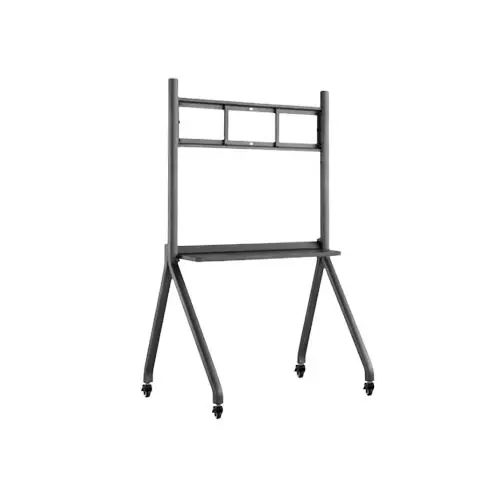
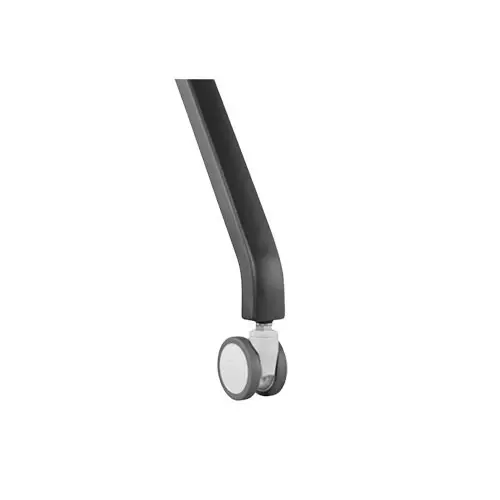
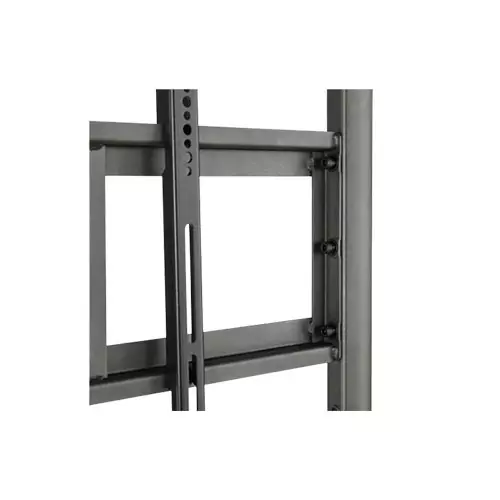
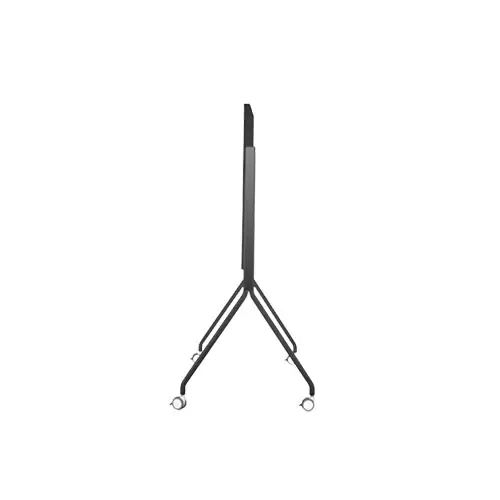
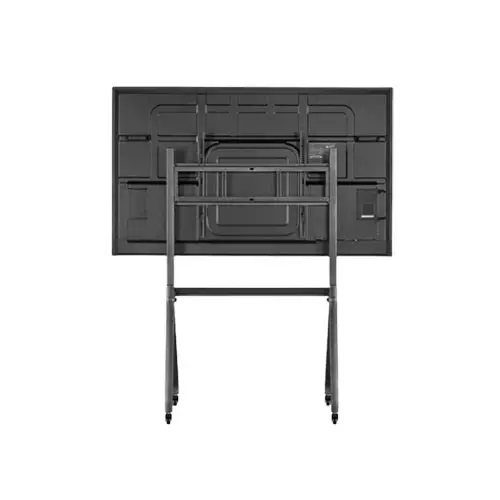
Artive ATL-657586C Commercial Mobile Stand for Interactive Flat Panel
Contact us for pricing
Product Details
Key Features
Robust Steel Construction: The stand is built from high‑grade steel, ensuring durability for daily classroom or office use.
Compact Footprint: With dimensions of 1517*660*913mm, it fits neatly under most interactive flat panels without crowding the space.
Lightweight Design: Weighing only 19KG, the stand can be easily repositioned or transported between rooms.
High Load Capacity: Despite its light weight, the stand supports up to 150KG, safely holding large interactive panels.
Broad Size Compatibility: Designed for flat panels ranging from 55" to 86", it accommodates a wide variety of screen sizes.
Sleek Black Finish: The black color blends seamlessly with modern office and classroom aesthetics.
Versatile Mounting Options: Suitable for both wall‑mounted and freestanding configurations, offering flexible installation.
Easy Assembly: All components are pre‑drilled and come with clear instructions, allowing quick setup.
Stable Base: The wide base prevents wobbling, providing a steady viewing experience even during interactive sessions.
Enhanced Safety: Steel construction and a sturdy base reduce the risk of tipping, ensuring user safety.
Space‑Saving Profile: Its compact dimensions free up floor space, ideal for crowded classrooms or conference rooms.
Durable Finish: The powder‑coated steel resists scratches and corrosion, extending the product’s lifespan.
Color | Black |
Size | 55”-86” |
Materials | Steel |
Dimension | 1517*660*913mm |
Weight | 19KG |
Compact | 1517660913mm |
Lightweight | 19KG |
Sturdy | 150KG max load |
Versatile | 55”-86” flat panels |
Description
Artive ATL-657586C Commercial Mobile Stand for Interactive Flat Panel
Key Features & Benefits:
- Robust Steel Construction: The stand is built from high‑grade steel, ensuring durability for daily classroom or office use.
- Compact Footprint: With dimensions of 1517*660*913mm, it fits neatly under most interactive flat panels without crowding the space.
- Lightweight Design: Weighing only 19KG, the stand can be easily repositioned or transported between rooms.
- High Load Capacity: Despite its light weight, the stand supports up to 150KG, safely holding large interactive panels.
- Broad Size Compatibility: Designed for flat panels ranging from 55" to 86", it accommodates a wide variety of screen sizes.
- Sleek Black Finish: The black color blends seamlessly with modern office and classroom aesthetics.
- Versatile Mounting Options: Suitable for both wall‑mounted and freestanding configurations, offering flexible installation.
- Easy Assembly: All components are pre‑drilled and come with clear instructions, allowing quick setup.
- Stable Base: The wide base prevents wobbling, providing a steady viewing experience even during interactive sessions.
- Enhanced Safety: Steel construction and a sturdy base reduce the risk of tipping, ensuring user safety.
- Space‑Saving Profile: Its compact dimensions free up floor space, ideal for crowded classrooms or conference rooms.
- Durable Finish: The powder‑coated steel resists scratches and corrosion, extending the product’s lifespan.
Ideal For:
- Classroom teachers needing a reliable stand for interactive lessons
- Corporate trainers presenting on large touch screens
- Conference room managers setting up meeting rooms
- Museum exhibit designers integrating interactive panels
- Remote learning facilitators creating hybrid classrooms
- IT support staff installing and maintaining flat panels
- Event organizers requiring quick‑setup display solutions
Summary:
The Artive ATL-657586C Commercial Mobile Stand offers a sturdy steel build, compact 1517*660*913mm footprint, and a lightweight 19KG profile, supporting flat panels from 55" to 86" with a 150KG max load. Its sleek black finish and versatile design make it ideal for classrooms, corporate training rooms, and event spaces. Easy to assemble and move, it provides a stable, space‑saving solution for interactive displays. Available now at Revolution Technology BD.
How to Order
Revolution Technology BD has made shopping easier for customers. Follow these steps:
- Click Register Button from home page
- Register with: Name + Email + Mobile + Password
- Click Create Account after entering information
- Login automatically or use Login button
- Provide mobile number and password, then Sign Up
- Choose desired product and click Buy Now
- View product details and click Add to Cart
- Click Item box (upper right corner)
- Go to Shopping Cart page
- Continue Shopping for more products or proceed
- Click "Click Here to Address" button
- Provide Full Name, Phone, Email & Delivery Address
- Click Order Submit button
- View Bill Invoice and receive email confirmation
- Print Invoice using Print button
- Wait for delivery - we'll keep you updated
- Thank you for shopping with us!