
BenQ Smart Calssroom Solution
Contact us for pricing
Product Details
Key Features
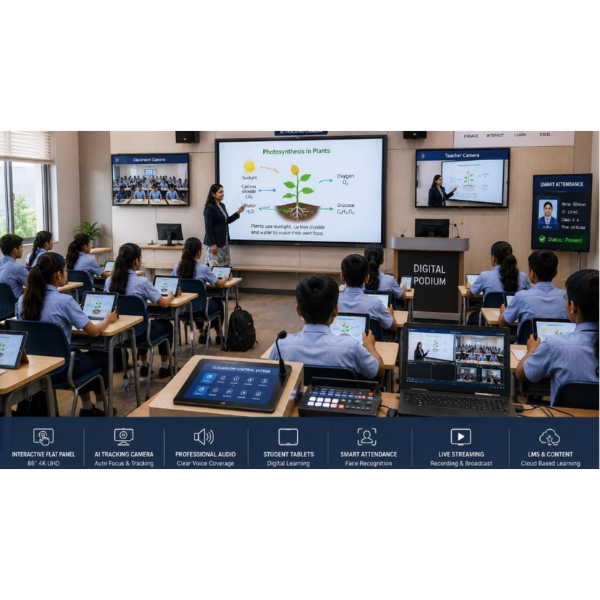
Interactive teaching: BenQ Smart Classroom Solution enables interactive teaching with its advanced features like digital whiteboard, wireless sharing, and split-screen.
Multimedia learning: The solution supports multimedia learning with its features like video conferencing, cloud access, and screen sharing.
Hybrid classroom support: BenQ Smart Classroom Solution supports hybrid classroom environments with its features like AI tracking camera, live streaming system, and LMS & content management.
Automated lecture capture: The AI tracking camera with 12X / 20X optical zoom and 30fps / 60fps frame rate enables automated lecture capture.
Professional hybrid learning experience: The solution provides a professional hybrid learning experience with its features like gesture control, lecture recording, and low-light enhancement.
Clear communication: The Professional Audio System with 40W–120W speaker output and wireless lapel/headset/handheld microphones ensures clear communication for onsite and online students.
Personalized digital learning: The Student Tablets with 10”–12” Full HD touchscreen, Octa-Core processor, and 4GB/8GB RAM with 64GB/128GB storage enable personalized digital learning.
Time-saving attendance management: The Smart Attendance System with facial recognition / RFID / QR / Fingerprint technology ensures time-saving and highly accurate attendance management.
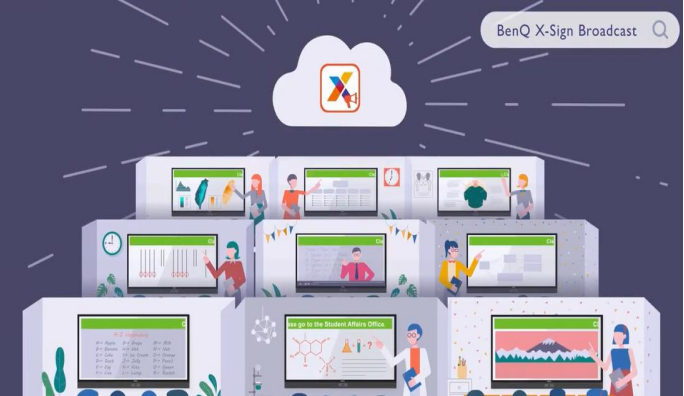
Easy campus communication: The X-Sign Broadcast Software enables easy campus communication with its features like multimedia broadcasting, scheduled announcements, and emergency alerts.
Safe and secure digital learning environment: The Data Security feature ensures safe and secure digital learning environment with its features like SSL encryption, secure login authentication, and cloud backup.
|
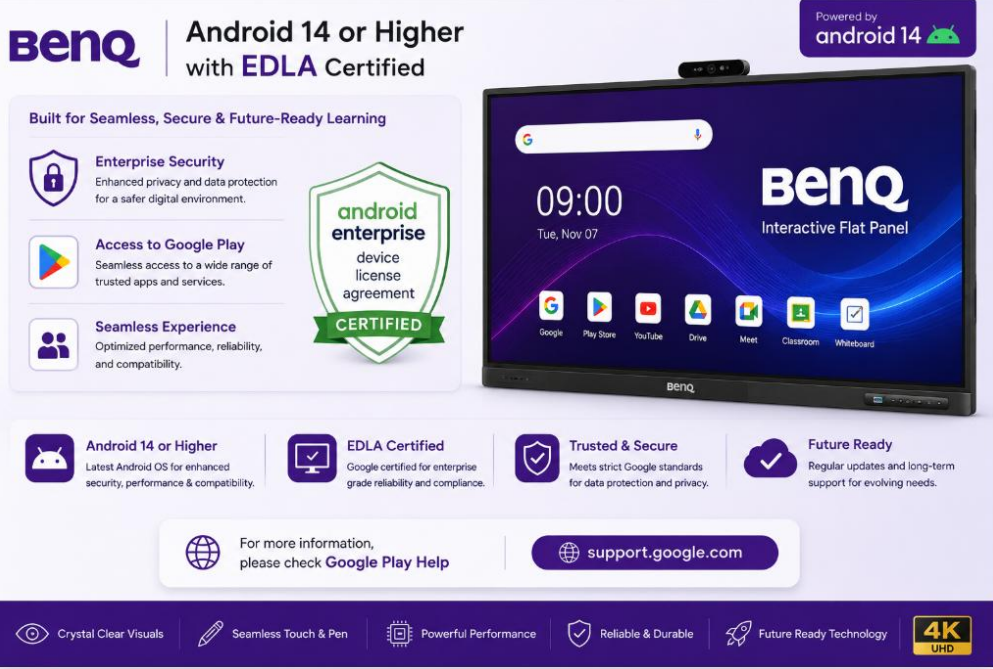
Interactive Flat Panel (IFP) |
Display: 65” / 75” / 86” 4K UHD (3840×2160) |
|
AI Tracking Camera |
Resolution: Full HD / 4K |
|
Professional Audio System |
Speaker Output: 40W–120W |
|
Student Tablets |
Display: 10”–12” Full HD touchscreen |
|
Smart Attendance System |
Technology: Facial recognition / RFID / QR / Fingerprint |
|
Live Streaming System |
Streaming Quality: 1080p / 4K HD streaming |
|
LMS & Content Management |
Deployment: Cloud or On-Premise |
|
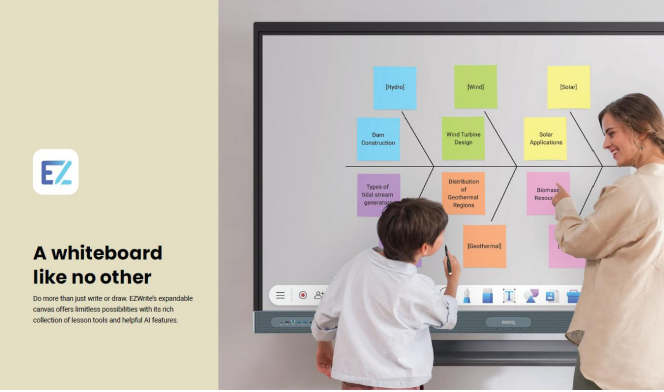
EZ Write 6 Software |
Purpose: Interactive whiteboard and annotation software for smart
classrooms Features: Real-time annotation, handwriting recognition, floating
tools, screen recording, lesson saving, split-screen mode, cloud storage
integration, multimedia support Compatibility: Windows, Android Interactive Flat Panels Supported Formats: PDF, PPT, Word, Image, Video Benefits: Enhances interactive teaching, digital collaboration, and
lesson presentation |
|
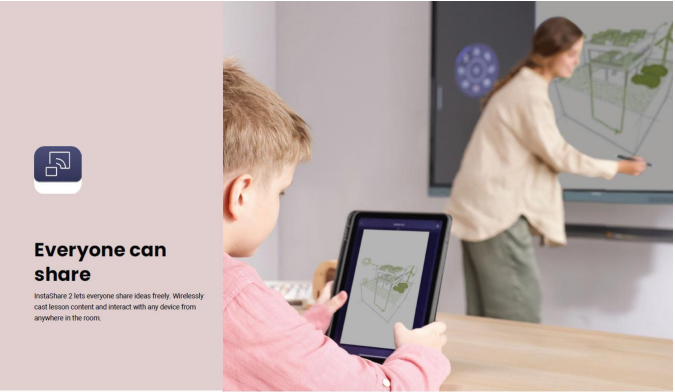
Instashare 2 Software |
Purpose: Wireless screen sharing and collaboration platform Features: One-click wireless casting, multi-device sharing,
split-screen collaboration, touchback control, cross-platform support, secure
screen sharing Compatibility: Windows, macOS, Android, iOS Connectivity: Wi-Fi / LAN based sharing Benefits: Enables seamless wireless presentation and classroom
collaboration |
|
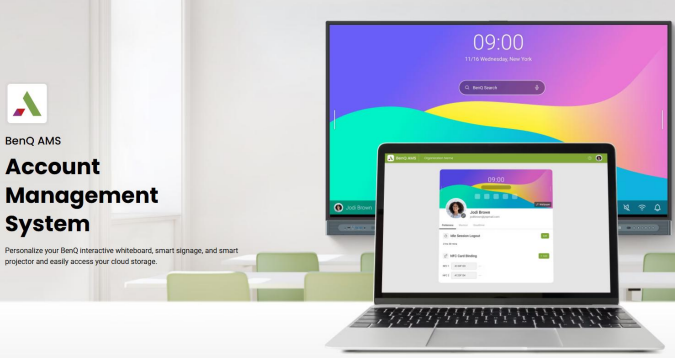
AMS Software (Account Management
System) |
Purpose: Centralized user and device management system Features: User account management, device monitoring, remote access
control, permission settings, activity tracking, cloud synchronization Security: Role-based access control and password protection Benefits: Simplifies administration and centralized classroom
device management |
|
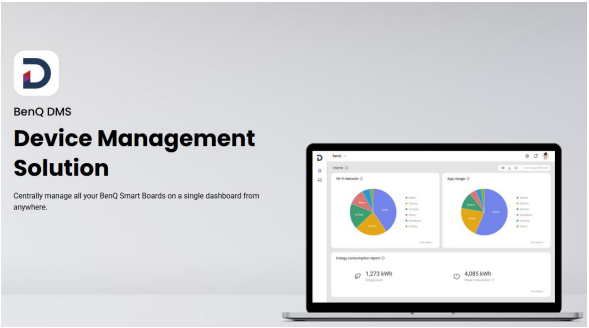
DMS Software (Device Management
System) |
Purpose: Remote monitoring and control of classroom devices Features: Device status monitoring, remote updates, app
installation, screen monitoring, power scheduling, centralized dashboard
management Compatibility: Interactive Panels, Tablets, Classroom PCs Benefits: Efficient IT management and reduced maintenance effort |
|
X-Sign Broadcast Software |
Purpose: Digital signage and campus-wide broadcasting solution Features: Multimedia broadcasting, scheduled announcements,
emergency alerts, video/image/text display, centralized content management,
real-time updates Supported Content: Video, Image, Audio, HTML, Scrolling Text Deployment: Cloud or Local Network Benefits: Easy campus communication and digital information
broadcasting |
|
Data Security |
Purpose: Protection of classroom data, users, and digital content Features: SSL encryption, secure login authentication, cloud
backup, firewall protection, user access control, data privacy compliance,
automatic system updates Security Standards: Password protection, encrypted communication, role-based
permissions Benefits: Ensures safe and secure digital learning environment |
|
Complete Smart Classroom Solution |
Integrated ecosystem combining
Interactive Flat Panel, AI Camera, Audio System, Student Tablets, Attendance,
Streaming, and LMS into one smart learning environment. Supports physical,
hybrid, and remote education with automation, collaboration, analytics, and
centralized management. |
Description
BenQ Smart Calssroom Solution
A Smart Classroom
Solution is an advanced digital learning environment that combines interactive
teaching technology, AI-powered automation, professional audio-visual systems,
student collaboration tools, and centralized learning management into one
integrated platform. It enhances classroom interaction, supports hybrid and
remote learning, improves communication, and simplifies classroom management
for schools, colleges, universities, and training centers.
Benefits
Interactive and
engaging learning experience
Supports physical,
hybrid, and remote classrooms
Improves student
participation and collaboration
Enables real-time
content sharing and digital teaching
Automated attendance
and classroom management
High-quality audio and
video communication
Easy lecture recording
and live streaming
Centralized LMS and
content management system
Secure data protection
and user access control
Reduces manual work and
increases teaching efficiency
Future-ready smart
education infrastructure
Easy integration with
tablets, cameras, and smart devices
How to Order
Revolution Technology BD has made shopping easier for customers. Follow these steps:
- Click Register Button from home page
- Register with: Name + Email + Mobile + Password
- Click Create Account after entering information
- Login automatically or use Login button
- Provide mobile number and password, then Sign Up
- Choose desired product and click Buy Now
- View product details and click Add to Cart
- Click Item box (upper right corner)
- Go to Shopping Cart page
- Continue Shopping for more products or proceed
- Click "Click Here to Address" button
- Provide Full Name, Phone, Email & Delivery Address
- Click Order Submit button
- View Bill Invoice and receive email confirmation
- Print Invoice using Print button
- Wait for delivery - we'll keep you updated
- Thank you for shopping with us!



