

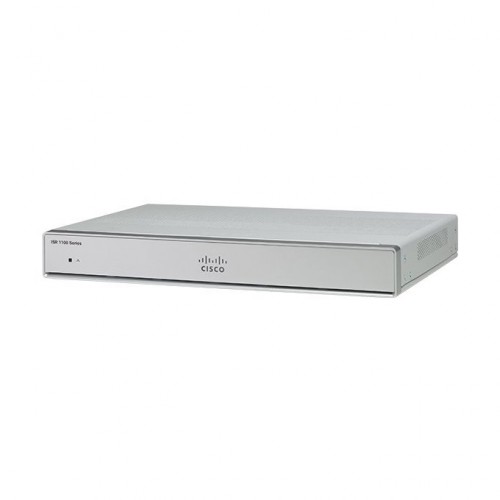
Cisco C1111-4P ISR 1100 4 Ports Dual GE WAN Ethernet Router
Contact us for pricing
Product Details
Key Features
Model: C1111-4P
Lightweight, compact size with
low power consumption
Wireless specifications: 2x2
.11ac Wave 2
Interfaces: 8 RJ-45
10/100/1000
PoE Ports: 4
Specification
|
Main feature |
|
|
Data Rate |
150 Mbps |
|
Frequency |
50-62 Hz |
|
Wireless |
2x2.11ac Wave 2 |
|
Interface |
USB 3.0 Type A host port, USB device Supported: USB Flash memory |
|
Ports |
4 ports for -8P PIDs, 2 ports for -4P PIDs
802.3af-compliant PoE or 802.3at-compliant PoE+ |
|
Power Source |
|
|
Power Mode |
Universal 100 to 240 VAC |
|
Physical Dimensions |
|
|
Dimensions (LxWxH) |
1.75 x 12.7 x 9.03 inch |
|
Weight |
5.5 Lbs (2.5 Kg) Maximum |
|
Color |
White |
|
Warranty |
|
|
Warranty |
03 years |
Description
Cisco C1111-4P ISR 1100 4 Ports Dual GE WAN Ethernet Router
The Cisco C1111-4P is an ISR
1100 4 Ports Dual GE WAN Ethernet Router that features 1 WAN port and 4GE LAN
ports. It delivers Cisco IOS XE Software, providing WAN, comprehensive
security, wired and wireless access in a single, high-performance platform. It
can be deployed in many different environments where space, heat dissipation,
and low power consumption are critical factors. High performance allows
customers to take advantage of broadband network speeds while running secure,
concurrent data, voice, video, and wireless services. The Cisco C1111-4P router
can run multiple services simultaneously with minimal performance degradation.
It supports Power over Ethernet (PoE) and PoE+ power to endpoints. It has Two
GE ports allocated among RJ45 and SFP as- one combo port with 10/100/1000RJ-45
Ethernet port or SFP Ethernet port (labeled GE0/0/0) and one dedicated
10/100/1000RJ-45 Ethernet port (labeled GE0/0/1). Cisco C1111-4P ISR 1100 4
Ports Dual GE WAN Ethernet Router is ideal for Small and Medium enterprise
branch offices.
How to Order
Revolution Technology BD has made shopping easier for customers. Follow these steps:
- Click Register Button from home page
- Register with: Name + Email + Mobile + Password
- Click Create Account after entering information
- Login automatically or use Login button
- Provide mobile number and password, then Sign Up
- Choose desired product and click Buy Now
- View product details and click Add to Cart
- Click Item box (upper right corner)
- Go to Shopping Cart page
- Continue Shopping for more products or proceed
- Click "Click Here to Address" button
- Provide Full Name, Phone, Email & Delivery Address
- Click Order Submit button
- View Bill Invoice and receive email confirmation
- Print Invoice using Print button
- Wait for delivery - we'll keep you updated
- Thank you for shopping with us!



