

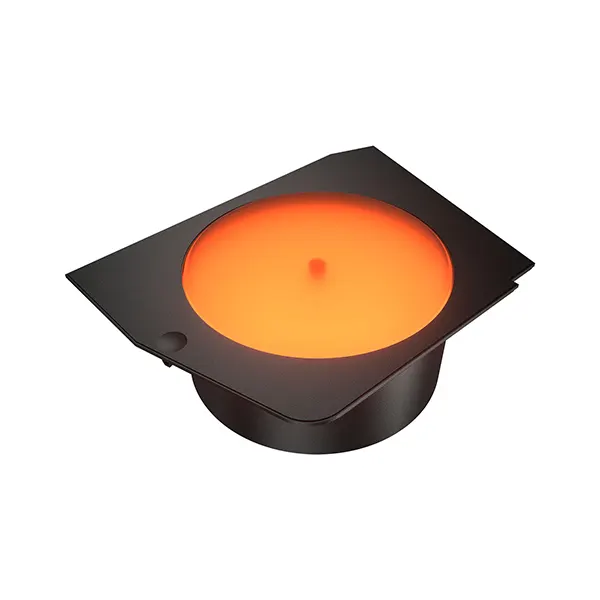
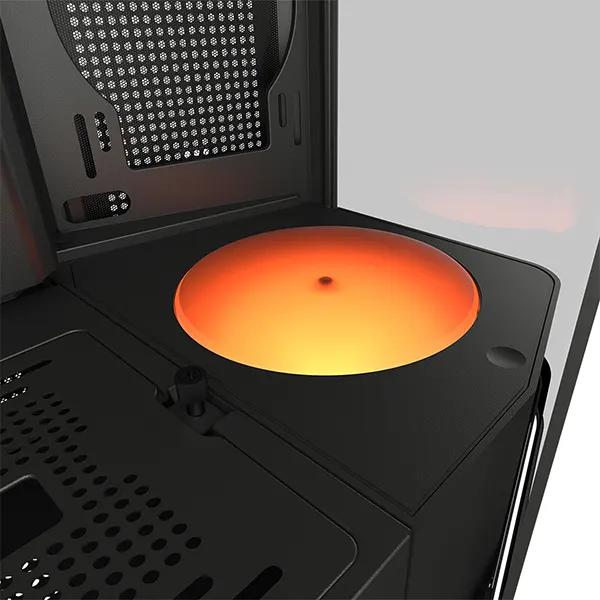
Cougar FV270 Luminous Rotating Platform - Black
Exclusive of all taxes
Product Details
Key feature
Underlighting
highlights the display with dramatic illumination
Compatible
with COUGAR FV270 Series cases only
Rotating
platform weight limit: 1kg
Specification
|
Product
Name |
FV270
Luminous Rotating Platform (Black) |
|
Dimensions
(WxHxD) |
220 × 65 ×
164 mm / 8.7 × 2.6 × 6.5 in |
|
Rated
Voltage |
5V |
|
Rated
Current |
0.4A |
|
Power
Consumption |
2.2W |
|
Connector
& Control |
Pogo pin
(ARGB) |
|
Weight |
0.27 kg
(0.60 lb) |
|
Warranty |
1 Year
Brand Warranty |
Description
Cougar
FV270 Luminous Rotating Platform - Black
Cougar
FV270 Luminous Rotating Platform - Black is a unique accessory designed to
showcase collectibles within your PC. Compatible exclusively with COUGAR FV270
Series cases, this platform provides a dedicated space for hobby figurines,
adding a personalized touch to your build. The platform features underlighting
that enhances the display with striking illumination, creating a dramatic
effect inside the panoramic interior of the FV270 cases. Its rotating design
allows a full view of your showcased item, making it an ideal addition for
enthusiasts who value style and functionality.
With
dimensions of 220 x 65 x 164 mm (8.7 x 2.6 x 6.5 inches), the platform fits
seamlessly into your build. It has a weight capacity of up to 1kg, making it
suitable for a variety of collectibles. The platform uses a 5V rated voltage
and consumes only 2.2W of power, ensuring efficient performance. The Cougar
FV270 Luminous Rotating Platform connects via a pogo pin with ARGB control,
allowing for easy integration with your setup. Weighing just 0.27 kg (0.60 lb),
it’s lightweight yet sturdy enough to hold your prized items securely. It comes
with a 1-year brand warranty. Cougar FV270 Luminous Rotating Platform - Black adds
both functionality and style, turning your PC into a personalized gallery.
How to Order
Revolution Technology BD has made shopping easier for customers. Follow these steps:
- Click Register Button from home page
- Register with: Name + Email + Mobile + Password
- Click Create Account after entering information
- Login automatically or use Login button
- Provide mobile number and password, then Sign Up
- Choose desired product and click Buy Now
- View product details and click Add to Cart
- Click Item box (upper right corner)
- Go to Shopping Cart page
- Continue Shopping for more products or proceed
- Click "Click Here to Address" button
- Provide Full Name, Phone, Email & Delivery Address
- Click Order Submit button
- View Bill Invoice and receive email confirmation
- Print Invoice using Print button
- Wait for delivery - we'll keep you updated
- Thank you for shopping with us!



