
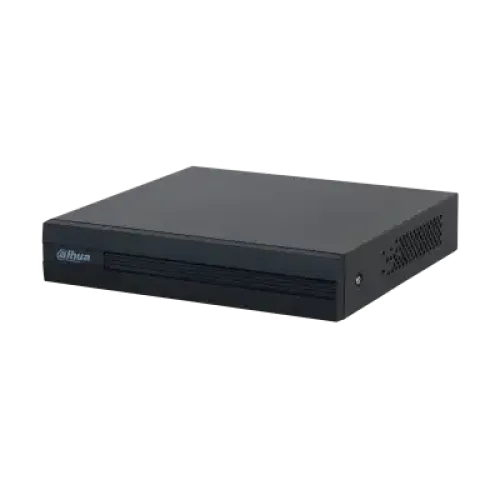
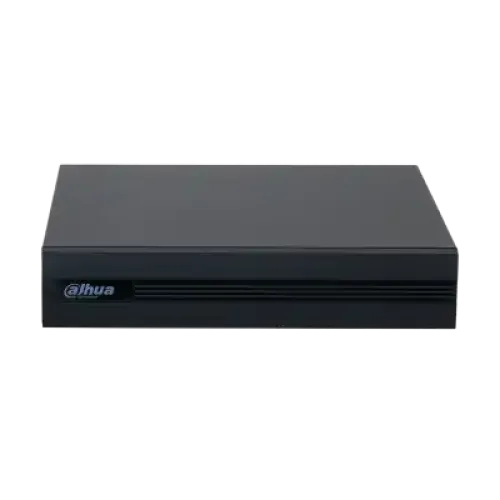
DAHUA DH-XVR1B04-I 4-Channel Digital Video Recorder
Exclusive of all taxes
Product Details
Key feature
Model:
DH-XVR1B04-I
Video
Compression: AI Coding/ H.265+/ H.265/ H.264+/ H.264
Audio
sample speed: 8KHz, 16 bit/channel
Max
5 channels IP camera inputs
Up
to 4 channels video stream
Specification
|
Main
Processor |
Embedded
Processor |
|
Operating
System |
Embedded
Linux |
|
IP
Camera Input |
4+1
channels, each channel up to 2MP |
|
Two-Way
Talk |
Reuse
audio in/out, RCA |
|
Display
Interface |
1
HDMI; 1 VGA |
|
Display
Resolution |
1920
× 1080, 1280 × 1024, 1280 × 720 |
|
Multi-Screen
Display |
1/4
(without IP extension); 1/4/6 (with IP extension) |
|
OSD |
Camera
title; Time; Video loss; Camera lock; Motion detection; Recording |
|
Recording
Compression |
AI
Coding / H.265+ / H.265 / H.264+ / H.264 |
|
Recording
Resolution |
1080N;
720p; 960H; D1; CIF |
|
Record
Rate |
Main
Stream: All channels 1080N/720P/960H/D1/CIF (1~25/30 fps) |
|
Sub
Stream: CIF (1~15 fps) |
|
|
Bit
Rate |
32
kbps–4096 kbps per channel |
|
Record
Mode |
Manual;
Schedule (General, Continuous); MD (Motion Detection, Video Loss, Tampering);
Alarm; Stop |
|
Record
Interval |
1–60
min (default 60 min); Pre-record: 1–30 s; Post-record: 10–300 s |
|
Video
Detection & Alarm |
Trigger
Event: Recording, PTZ, Tour, Video Push, Email, FTP, Snapshot, Buzzer, Screen
Tips |
|
Video
Detection |
Motion
Detection, MD Zones: 396 (22 × 18), Video Loss, Tampering, Diagnosis |
|
Alarm
Input |
N/A |
|
Relay
Output |
N/A |
|
Playback
Sync |
1/4 |
|
Search
Mode |
Time/Date;
Alarm; MD; Exact Search (accurate to second) |
|
Playback
Functions |
Play;
Pause; Stop; Rewind; Fast Play; Slow Play; Next/Previous File; Next/Previous
Camera; Full Screen; Repeat; Shuffle; Backup Selection; Digital Zoom |
|
Backup
Mode |
USB
Device / Network |
|
Third
Party Support |
Dahua,
Arecont Vision, AXIS, Bosch, Brickcom, Canon, CP Plus, Dynacolor, Honeywell,
Panasonic, Pelco, Samsung, Sanyo, Sony, Videotec, Vivotek, and more |
|
Network
Interface |
1
RJ-45 Port (100 Mbps) |
|
Network
Function |
HTTP;
HTTPS; TCP/IP; IPv4/IPv6; 3G/4G; UPnP; RTSP; UDP; SMTP; NTP; DHCP; DNS; IP
Filter; PPPoE; DDNS; FTP; Alarm Server; P2P; IP Search |
|
Maximum
User Access |
128
users |
|
Smart
Phone Support |
iPhone;
iPad; Android |
|
Interoperability |
ONVIF
16.12, CGI Conformant |
|
Internal
HDD |
1
SATA port, up to 6 TB capacity |
|
eSATA |
N/A |
|
USB |
2
USB ports (USB 2.0) |
|
RS232 |
N/A |
|
RS485 |
N/A |
|
Power
Supply |
DC
12 V / 1.5 A |
|
Power
Consumption |
<
7 W |
|
Operational
Conditions |
–10
°C to +45 °C (14 °F to 113 °F), 0%–90% RH |
|
Storage
Conditions |
–20
°C to +70 °C (–4 °F to 158 °F), 0%–90% RH |
|
Dimensions |
Cooper
1U, 198 mm × 202.9 mm × 41.5 mm (7.81'' × 7.99'' × 1.63'') |
|
Net
Weight |
0.57
kg (1.25 lb) |
|
Gross
Weight |
1.08
kg (2.38 lb) |
|
Warranty |
1
Year |
Description
DAHUA
DH-XVR1B04-I 4-Channel Digital Video Recorder
The
DAHUA DH-XVR1B04-I Digital Video Recorder features H.265+/H.265 dual-stream video compression.
This DVR supports Full channel AI-Coding. It's easy to preserve all the wonders
and excitement you see on TV. It is a stand-alone recorder that captures HDMI
videos as you watch them, without the need for a PC. It supports
HDCVI/AHD/TVI/CVBS/IP video inputs. It offers Max 5 channels of IP camera
inputs, each channel up to 2MP; Max 20 Mbps incoming bandwidth. With an
advanced scene-adaptive rate control algorithm, Dahua smart codec technology
realizes higher encoding efficiency than H.265 and H.264, provides high-quality
video and reduces the cost of storage and transmission. The integrated design
can reduce wiring troubles which makes it much more cost-effective and
convenient for installation. The DAHUA DH-XVR1B04-I comes with a 1-year
warranty.
How to Order
Revolution Technology BD has made shopping easier for customers. Follow these steps:
- Click Register Button from home page
- Register with: Name + Email + Mobile + Password
- Click Create Account after entering information
- Login automatically or use Login button
- Provide mobile number and password, then Sign Up
- Choose desired product and click Buy Now
- View product details and click Add to Cart
- Click Item box (upper right corner)
- Go to Shopping Cart page
- Continue Shopping for more products or proceed
- Click "Click Here to Address" button
- Provide Full Name, Phone, Email & Delivery Address
- Click Order Submit button
- View Bill Invoice and receive email confirmation
- Print Invoice using Print button
- Wait for delivery - we'll keep you updated
- Thank you for shopping with us!



