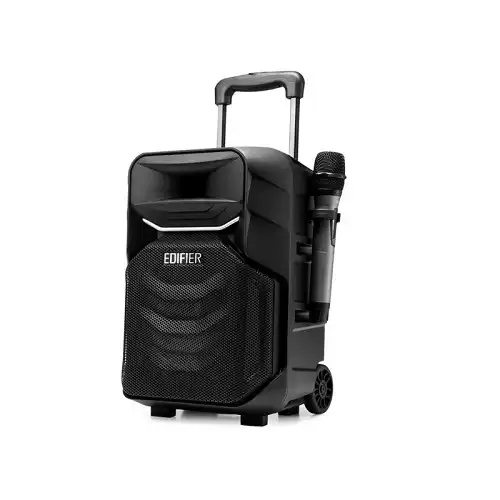
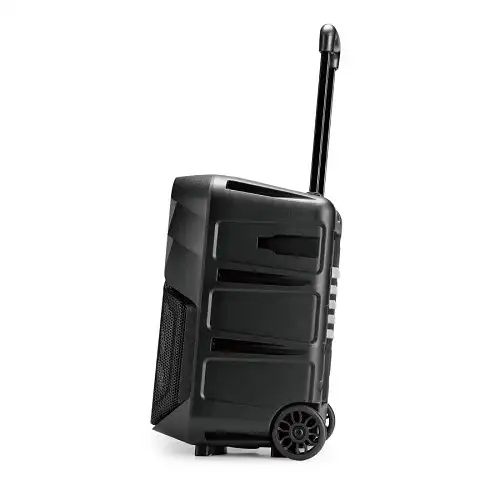
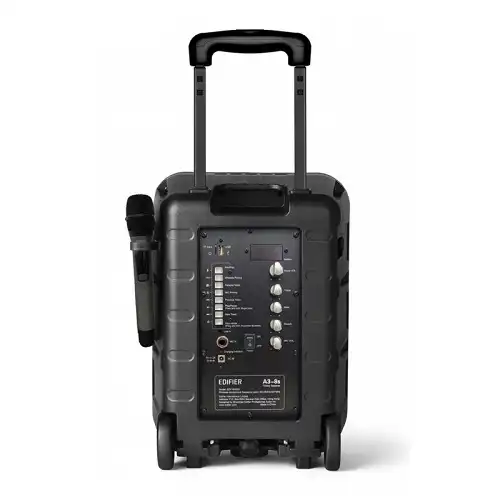
Edifier A3-8S Portable Bluetooth Trolley Speaker
Exclusive of all taxes
Product Details
Key Features
Model:
A3-8S
Multiple
inputs including Bluetooth, AUX line-in, and TF card
DSP
digital audio processing
Multiple
microphone input forms
Indoor
and outdoor modes
Specification
|
Driver Unit |
Mid-Bass
Driver: 8inch |
|
Noise Ratio |
≥ 80dB(A) |
|
Input Impedance |
USB / TF Card /
AUX / Bluetooth |
|
Others |
Audio Input:
Bluetooth,2x Mic in, 1x UHF Wireless Mic, Line-in (AUX), USB(Thumbdrive),
TF-Card |
|
Dimension |
290 x 415 x
272mm |
|
Weight |
6.6kg |
|
Color |
Black |
|
Connection Type |
USB to Power
Jack cable |
|
Battery
capacity / voltage |
6600mAh |
|
Battery Life |
Up to 7 hours |
|
Warranty |
1 Year Warranty |
Description
Edifier A3-8S Portable
Bluetooth Trolley Speaker
The Edifier A3-8S Portable
Bluetooth Speaker is a trolley speaker. The speaker has a metal pull rod with
two larger anti-skid casters for easy carry. The Edifier A3-8S speaker features
a removable microphone holder and speaker bracket hole. The cabinet is
injection molded from premium ABS material, making it more durable. It has a
one-button record/playback feature for easy use. Bluetooth, AUX line-in,
microphone-in, TF card, and USB input are all available. A professional
stage-level compression horn tweeter is featured on the Edifier A3-8i trolley
speaker. The microphone on the A3-8i trolley speaker is detachable and can be
used with a speaker stand. The Edifier A3-8S Portable Bluetooth Trolley Speaker
has a built-in 6600 mAh lithium battery. It gives up to 7 hours of playtime.
Built-in DSP Processor
The Edifier A3-8S Portable
Bluetooth Trolley Speaker has a built-in DSP processor. The DSP processor
processes digital audio and ensures low distortion and excellent sound. Through
fine frequency distribution and dynamic management.
Multiple Audio Inputs
The Edifier A3-8S Portable
Bluetooth Trolley Speaker supports multiple inputs. The inputs are a USB flash
drive, a TF card, Bluetooth 5.0, lines, and a two-way U-segment wireless
microphone.
How to Order
Revolution Technology BD has made shopping easier for customers. Follow these steps:
- Click Register Button from home page
- Register with: Name + Email + Mobile + Password
- Click Create Account after entering information
- Login automatically or use Login button
- Provide mobile number and password, then Sign Up
- Choose desired product and click Buy Now
- View product details and click Add to Cart
- Click Item box (upper right corner)
- Go to Shopping Cart page
- Continue Shopping for more products or proceed
- Click "Click Here to Address" button
- Provide Full Name, Phone, Email & Delivery Address
- Click Order Submit button
- View Bill Invoice and receive email confirmation
- Print Invoice using Print button
- Wait for delivery - we'll keep you updated
- Thank you for shopping with us!