

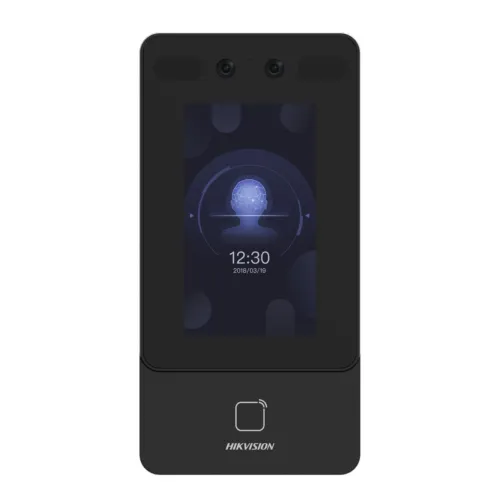
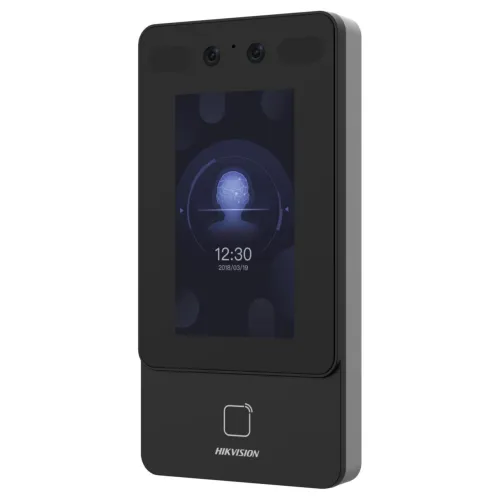
Hikvision DS-K1T342EX-E1 Face Recognition Access Control Terminal
Exclusive of all taxes
Product Details
Key Features
Model: DS-K1T342EX-E1
Display: 4.3-inch LCD screen, 2 MP wide-angle lens
Max.1500 faces capacity, and Max.3000 cards
Supports face with mask recognition & configuration via
the web client
Two-way audio with client software, indoor station, and
main station; Supports TCP/IP
Specification
|
Model |
Hikvision
DS-K1T342EX-E1 |
|
Type |
Access
Control Terminal |
|
Functions |
Face
anti-spoofing, Audio prompt, Time synchronization |
|
Display
Size |
4.3 inch |
|
Fingerprint
Sensor |
No |
|
Face
Detection Camera |
Yes |
|
RF Card
Capacity |
3,000 |
|
Face
Capacity |
1,500 |
|
ID Card
Capacity |
3,000 |
|
Event Log
Capacity |
150,000 |
|
Network
Interface |
PoE (IEEE
802.3at) |
|
Additional
Interfaces |
RS-485,
Wiegand, Lock Output, Exit Button, Door Contact, TAMPER, USB |
|
Power
Supply |
12 VDC/1 A
(Adapter Included) |
|
Dimensions |
91.3 x
181.3 x 25.7 mm |
|
Weight |
0.36 kg |
|
Color |
Black |
|
Warranty |
1 Year
(Adapter not covered) |
Details
Hikvision DS-K1T342EX-E1 Access Control
The Hikvision DS-K1T342EX-E1 Face Recognition Access
Control Terminal is designed for secure and efficient access control. It uses
face recognition for fast and accurate identification, ensuring high security.
Benefits & Features
Face Recognition: The terminal stores up to 1500 face
templates for fast and reliable access.
Anti-Spoofing: It uses advanced technology to prevent
unauthorized access through face spoofing.
Audio Prompt: The device provides audible cues to confirm
successful or unsuccessful access attempts.
Time Synchronization: It ensures accurate time logging by
syncing with a time server.
ID Card Capacity: The terminal can store up to 3000 ID
cards, making access management efficient.
Event Logs: It supports up to 150,000 event records for
detailed tracking and monitoring.
Camera Support: Equipped with a camera, it provides precise
face recognition even in various lighting conditions.
How to Order
Revolution Technology BD has made shopping easier for customers. Follow these steps:
- Click Register Button from home page
- Register with: Name + Email + Mobile + Password
- Click Create Account after entering information
- Login automatically or use Login button
- Provide mobile number and password, then Sign Up
- Choose desired product and click Buy Now
- View product details and click Add to Cart
- Click Item box (upper right corner)
- Go to Shopping Cart page
- Continue Shopping for more products or proceed
- Click "Click Here to Address" button
- Provide Full Name, Phone, Email & Delivery Address
- Click Order Submit button
- View Bill Invoice and receive email confirmation
- Print Invoice using Print button
- Wait for delivery - we'll keep you updated
- Thank you for shopping with us!



