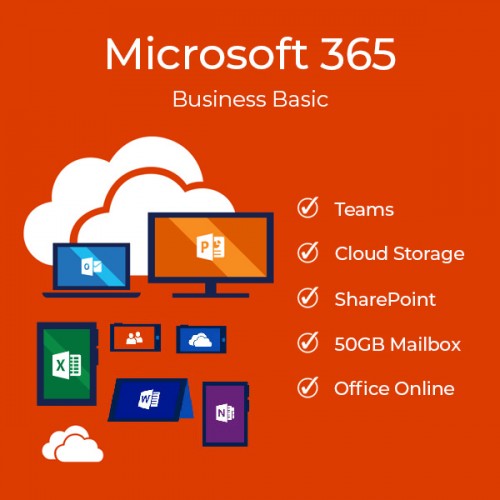
Microsoft 365 Business Basic (with Teams)
Contact us for pricing
Product Details
Key Features
Model: Microsoft 365 Business Basic
Web and mobile versions of Office apps
Email and calendaring
File storage and sharing
Security and compliance
Description
Microsoft 365 Business
Basic
Features
Email hosting with 50 GB
mailbox and custom email domain address
Desktop versions of
applications not included
File storage and sharing
with 1 TB of One Drive storage
Wide intranet and team
sites with SharePoint
Host online and video conferencing meetings for up to 250 people
Get a hub for teamwork
with Microsoft Teams
Collaborate across
departments and locations with Yammer
Manage tasks and teamwork with Microsoft Planner
1 Year Subscription
System Requirements
Processor
PC: 1 gigahertz (GHz) or faster x86- or x64-bit processor with SSE2
OSX: Intel processor
Android: Android KitKat 4.4 or later version and have an ARM-based or Intel x86 processor
iOS: N/A
Operating System
PC: Windows 7 Service Pack 1, Windows 8.1, Windows 10, Windows 10 Server, Windows Server 2012 R2, Windows Server 2008 R2, or Windows Server 2012
OSX: macOS
Android: OS version: KitKat (4.4.X) or above
iOS: Office for iPad® and iPhone® requires iOS 10.0 or later. Office for iPad Pro™ requires iOS 10.0 or later
Memory
PC: 1 GB RAM (32-bit); 2 GB RAM (64-bit)
OSX: 4 GB RAM
Android: 1 GB
iOS: N/A
Hard Disk Space
PC: 3 GB of available disk space
OSX: 6 GB HFS+ hard disk format
Android: N/A
iOS: N/A
Display
PC: 1024 x 768 resolution
OSX: 1280 x 800 resolution
Android: N/A
iOS: N/A
Additional requirements
A touch-enabled device is required to use any multi-touch functionality. However, all features and functionality are always available by using a keyboard, mouse, or other standard- or accessible-input device. Note that new touch features are optimized for use with Windows 8 or later.
Product functionality and graphics may vary based on your system configuration. Some features may require additional or advanced hardware or server connectivity.
Internet functionality requires an internet connection. Microsoft account required.
How to Order
Revolution Technology BD has made shopping easier for customers. Follow these steps:
- Click Register Button from home page
- Register with: Name + Email + Mobile + Password
- Click Create Account after entering information
- Login automatically or use Login button
- Provide mobile number and password, then Sign Up
- Choose desired product and click Buy Now
- View product details and click Add to Cart
- Click Item box (upper right corner)
- Go to Shopping Cart page
- Continue Shopping for more products or proceed
- Click "Click Here to Address" button
- Provide Full Name, Phone, Email & Delivery Address
- Click Order Submit button
- View Bill Invoice and receive email confirmation
- Print Invoice using Print button
- Wait for delivery - we'll keep you updated
- Thank you for shopping with us!