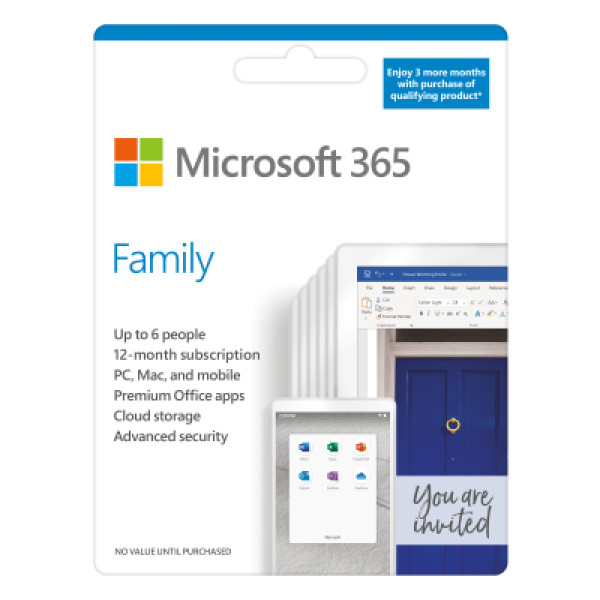
Microsoft 365 Family English APAC EM Subscr 1YR Medialess P6
Contact us for pricing
Product Details
Key Features
All‑in‑one productivity suite: Enjoy Word, Excel, and PowerPoint with smart assistance and a library of premium templates, photos, icons, and fonts.
Seamless cloud storage: OneDrive lets you save and share files and photos across all your devices instantly.
Robust security: Advanced protection safeguards your data in OneDrive and Outlook against threats.
Family safety integration: Set location alerts through the Microsoft Family Safety mobile app for added peace of mind.
Multi‑device flexibility: Each family member can install the apps on up to five devices simultaneously.
Unlimited family sharing: Share the subscription with up to six people, each getting full access to all features.
Free 24/7 support: Reach Microsoft support via chat or phone at no extra cost throughout the subscription period.
Regular updates: Receive continuous feature upgrades and security patches without additional fees.
Smart assistance & premium assets | Access smart assistance features, plus hundreds of premium templates, photos, icons, and fonts in Word, Excel, and PowerPoint |
OneDrive file & photo sync | Save and share files and photos across devices with OneDrive |
Advanced security | Experience advanced security protection in OneDrive and Outlook |
Family Safety location alerts | Set location alerts in the Microsoft Family Safety mobile app |
Multi-device usage | Each person can use the subscription on up to 5 devices at the same time |
24/7 support | Contact support via chat or phone at no extra cost throughout your subscription |
Description
Microsoft 365 Family English APAC EM Subscr 1YR Medialess P6
Key Features & Benefits:
- All‑in‑one productivity suite: Enjoy Word, Excel, and PowerPoint with smart assistance and a library of premium templates, photos, icons, and fonts.
- Seamless cloud storage: OneDrive lets you save and share files and photos across all your devices instantly.
- Robust security: Advanced protection safeguards your data in OneDrive and Outlook against threats.
- Family safety integration: Set location alerts through the Microsoft Family Safety mobile app for added peace of mind.
- Multi‑device flexibility: Each family member can install the apps on up to five devices simultaneously.
- Unlimited family sharing: Share the subscription with up to six people, each getting full access to all features.
- Free 24/7 support: Reach Microsoft support via chat or phone at no extra cost throughout the subscription period.
- Regular updates: Receive continuous feature upgrades and security patches without additional fees.
Ideal For:
- Families looking for a shared productivity solution
- Students needing Office apps on multiple devices
- Remote workers requiring secure cloud storage
- Parents who want location alerts for child safety
- Small home offices that need multi‑device licensing
- Tech‑savvy users who value premium templates and design assets
- Anyone who prefers round‑the‑clock customer support
Summary:
Microsoft 365 Family provides a comprehensive suite of Office apps, premium design assets, and secure cloud storage for up to six family members. Each user can install the apps on five devices and benefit from advanced security, family safety alerts, and 24/7 support. Ideal for families, students, and remote workers, this 1‑year subscription is available at Revolution Technology BD, ensuring local availability and service.
How to Order
Revolution Technology BD has made shopping easier for customers. Follow these steps:
- Click Register Button from home page
- Register with: Name + Email + Mobile + Password
- Click Create Account after entering information
- Login automatically or use Login button
- Provide mobile number and password, then Sign Up
- Choose desired product and click Buy Now
- View product details and click Add to Cart
- Click Item box (upper right corner)
- Go to Shopping Cart page
- Continue Shopping for more products or proceed
- Click "Click Here to Address" button
- Provide Full Name, Phone, Email & Delivery Address
- Click Order Submit button
- View Bill Invoice and receive email confirmation
- Print Invoice using Print button
- Wait for delivery - we'll keep you updated
- Thank you for shopping with us!