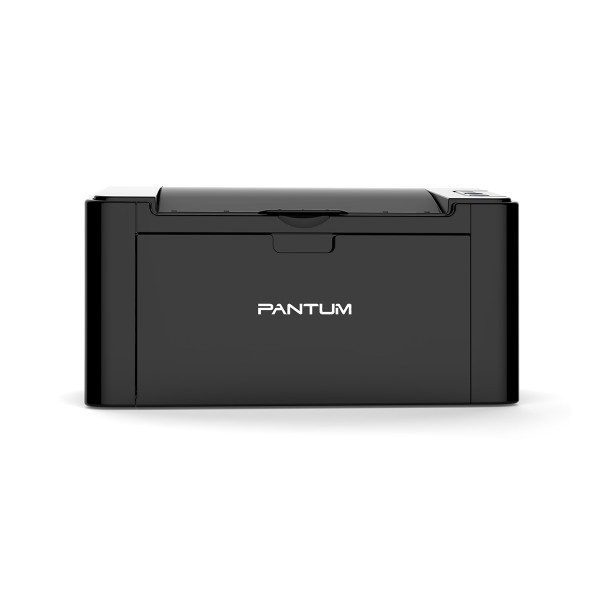
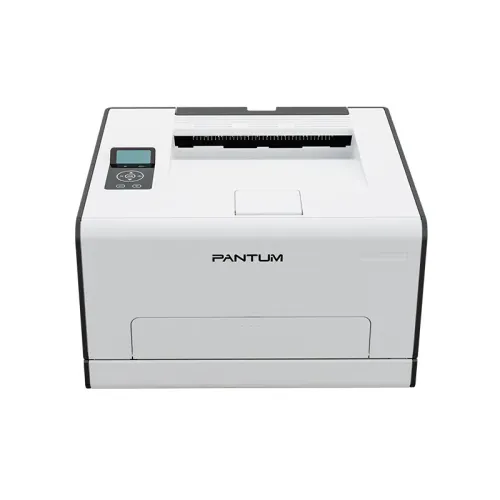
Pantum CM1100ADW Multifunction Color Laser Printer
Exclusive of all taxes
Product Details
Key Features
Basic Function: Print, Copy, Scan
Printing Speed:18ppm
Connection Method: USB, NET, WIFI
Duplex: Automatic, Duty cycle: 30000 Pages
Specification General |
||
| Functions | Print, Copy, Scan, Fax | |
| Printer Type | Mono Laser Multifunction | |
| Output Color | Black and White Color |
|
| Technology | Laser | |
| Print Speed | Print Speed (Black): Up to 18ppm Print Speed (Color): Up to18ppm |
|
| Print Resolution | 600 x 600dpi | |
| Duty Cycle up to (Yield) | 30,000 Pages | |
| Duplex | Automatic | |
| Copy | ||
| Copy Speed | 18ppm | |
| Copy Resolution | Max 600×600 dpi | |
| Scan | ||
| Scan Type | CIS (Contact Image Sensor) | |
| Scan Resolution | 300 x 300dpi | |
| Duplex Scan | No | |
| Paper Information | ||
| Paper Size | A4, Letter, Legal, Folio, Oficio, JIS B5, ISO B5, Executive, Statement, A5, Big 16K, 16K, Big 32K, 32K, A6, No.10 Env, Monarch Env, DL Env(Envelope No. 5), C5 Env(Envelope No. 7), C6 Env, Yougata4, Younaga3, Nagagata3, Yougata2, ZL (Envelope No. 6), Postcard, B6, Japanese Postcard Custom: minimum 96x148mm - maximum 216x356mm |
|
| Paper Weight | Input tray - 60-120g/m2, Multipurpose tray - 60-200g/m2. | |
| Input Capacity | 250 pages | |
| Output Capacity | 100 pages(A4/70g) | |
| ADF | Yes | |
| Technical Specs | ||
| Processor | 1.2 GHz |
|
| Memory | 512 MB | |
| Display | 3.5 inch touch screen | |
| Connectivity | USB, LAN, WiFi | |
| Power Consumption | 380W | |
| Physical Specs | ||
| Color | White | |
| Dimension | 401 x 411 x 358mm | |
| Weight | 19.4 Kg | |
| Support | ||
| Toner/ Cartridge/ Refill | Starter Consumables CTL-1100K (up to 1000Pages), CTL-1100C/CTL-1100M/CTL-1100Y (up to 700Pages) Consumable CTL-1100K (1000Pages) CTL-1100C/CTL-1100M/CTL-1100Y (700Pages) |
|
| Software | Windows XP/Windows7/Windows8/Windows8.1/Windows10/Windows 11/Windows server/2012/2016(32bit/64bit) Mac10.9 - 12 ubuntu16.04/18.04/20.04/22.04 |
|
| Warranty Information | ||
| Warranty | 1-year Limited warranty | |
How to Order
Revolution Technology BD has made shopping easier for customers. Follow these steps:
- Click Register Button from home page
- Register with: Name + Email + Mobile + Password
- Click Create Account after entering information
- Login automatically or use Login button
- Provide mobile number and password, then Sign Up
- Choose desired product and click Buy Now
- View product details and click Add to Cart
- Click Item box (upper right corner)
- Go to Shopping Cart page
- Continue Shopping for more products or proceed
- Click "Click Here to Address" button
- Provide Full Name, Phone, Email & Delivery Address
- Click Order Submit button
- View Bill Invoice and receive email confirmation
- Print Invoice using Print button
- Wait for delivery - we'll keep you updated
- Thank you for shopping with us!