
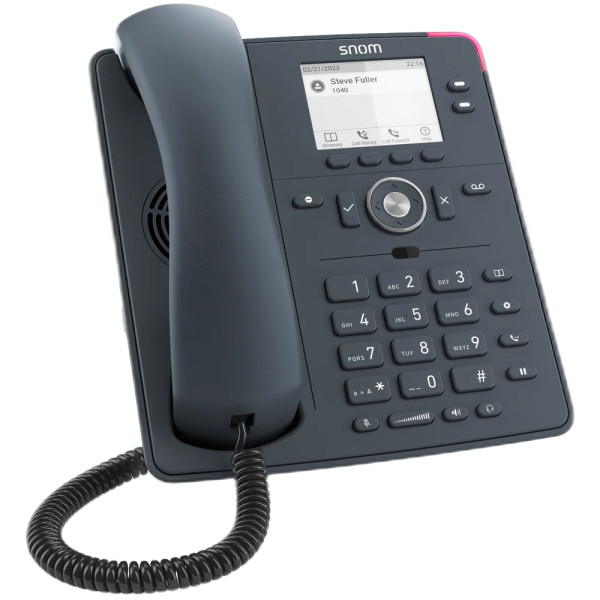
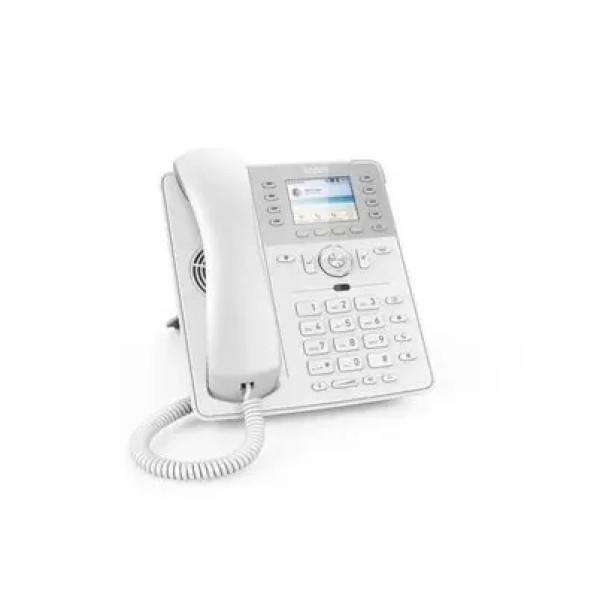
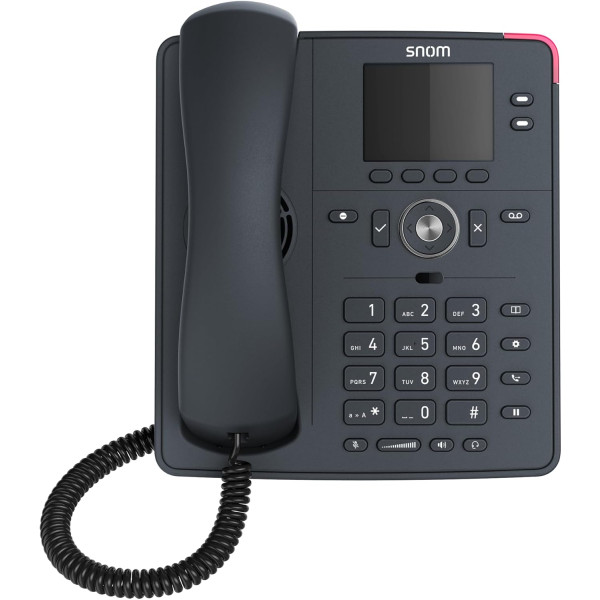
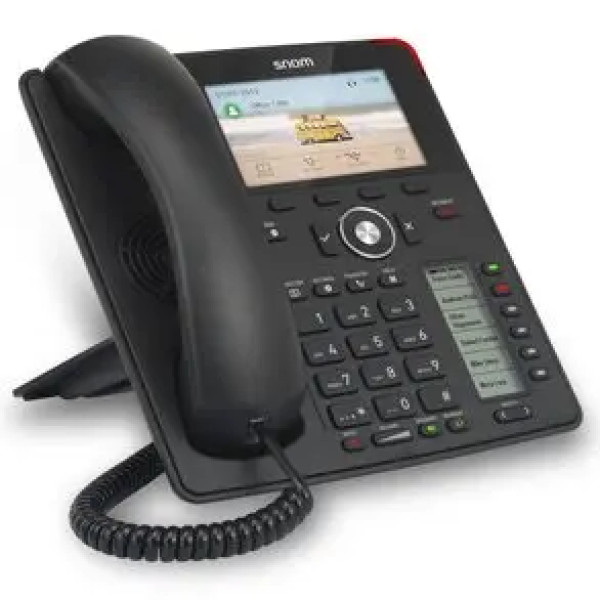
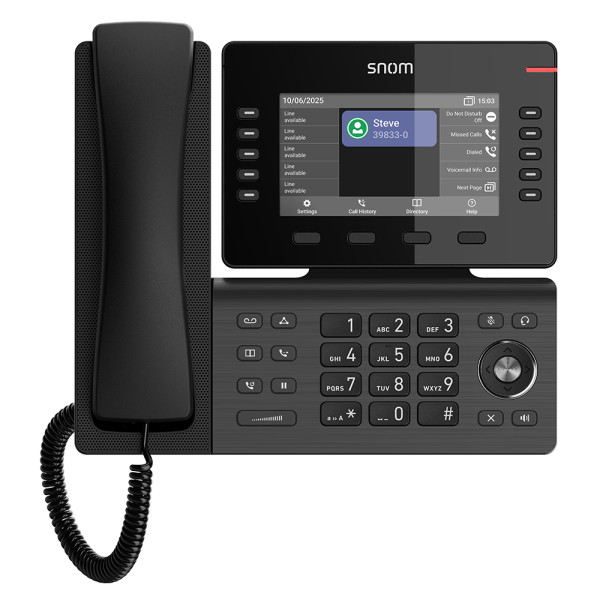
SNOM D140 Desk Telephone
Exclusive of all taxes
Product Details
Key Features
Dual SIP Accounts: Supports 2 SIP identities, allowing users to manage multiple lines or extensions from a single handset.
Bright 2.8" TFT Display: The 2.8" TFT liquid crystal backlit screen provides clear visibility of caller ID, menus, and status indicators even in bright office lighting.
Streamlined Design Without USB: No USB port reduces unnecessary hardware, keeping the desk phone compact and focused on core telephony functions.
Five Programmable Function Keys: Five configurable keys let users assign shortcuts for speed‑dial, call transfer, voicemail, and other frequent actions.
Dual 10/100 Ethernet Ports: Two 10/100 Ethernet ports ensure reliable network connectivity and allow for link aggregation or backup connections.
Flexible Power Options: Can be powered via PoE or a 5V/2A DC adapter (adapter not included), offering versatile installation in both wired and PoE‑enabled environments.
No Expansion Module Required: The handset’s compact footprint eliminates the need for additional expansion modules, simplifying desk space management.
2‑Year Warranty: Comes with a 2‑year warranty, providing confidence and support for businesses investing in reliable communication tools.
Compact Desk Form Factor: Its sleek, space‑saving design fits neatly on any desk, making it ideal for crowded workstations.
SIP Identity/Account | 2 |
Display | 2.8" TFT liquid crystal backlit display |
USB Port | No |
Configurable Function Keys | 5 |
Ethernet Ports | 2 X 10/100 |
Power | PoE/DC (5V/2A) - Adapter not included |
Expansion Module Support | No |
Warranty | 2 Year |
Description
SNOM D140 Desk Telephone
Key Features & Benefits:
- Dual SIP Accounts: Supports 2 SIP identities, allowing users to manage multiple lines or extensions from a single handset.
- Bright 2.8" TFT Display: The 2.8" TFT liquid crystal backlit screen provides clear visibility of caller ID, menus, and status indicators even in bright office lighting.
- Streamlined Design Without USB: No USB port reduces unnecessary hardware, keeping the desk phone compact and focused on core telephony functions.
- Five Programmable Function Keys: Five configurable keys let users assign shortcuts for speed‑dial, call transfer, voicemail, and other frequent actions.
- Dual 10/100 Ethernet Ports: Two 10/100 Ethernet ports ensure reliable network connectivity and allow for link aggregation or backup connections.
- Flexible Power Options: Can be powered via PoE or a 5V/2A DC adapter (adapter not included), offering versatile installation in both wired and PoE‑enabled environments.
- No Expansion Module Required: The handset’s compact footprint eliminates the need for additional expansion modules, simplifying desk space management.
- 2‑Year Warranty: Comes with a 2‑year warranty, providing confidence and support for businesses investing in reliable communication tools.
- Compact Desk Form Factor: Its sleek, space‑saving design fits neatly on any desk, making it ideal for crowded workstations.
Ideal For:
- Small business office staff needing multiple SIP lines
- Call center agents handling high call volumes
- Remote workers requiring a reliable desk phone
- Hotel front‑desk personnel for guest communications
- IT managers deploying PoE‑enabled telephony
- Coworking space members sharing limited desk space
- Home office users seeking a professional phone solution
Summary:
The SNOM D140 Desk Telephone offers dual SIP accounts, a bright 2.8" TFT backlit display, and five programmable keys, making it a versatile choice for modern workplaces. Powered by PoE or a 5V/2A DC adapter, it provides flexible installation without the need for an external USB connection. With dual 10/100 Ethernet ports, a compact design, and a 2‑year warranty, it meets the demands of small businesses, call centers, and remote professionals. Available now at Revolution Technology BD.
How to Order
Revolution Technology BD has made shopping easier for customers. Follow these steps:
- Click Register Button from home page
- Register with: Name + Email + Mobile + Password
- Click Create Account after entering information
- Login automatically or use Login button
- Provide mobile number and password, then Sign Up
- Choose desired product and click Buy Now
- View product details and click Add to Cart
- Click Item box (upper right corner)
- Go to Shopping Cart page
- Continue Shopping for more products or proceed
- Click "Click Here to Address" button
- Provide Full Name, Phone, Email & Delivery Address
- Click Order Submit button
- View Bill Invoice and receive email confirmation
- Print Invoice using Print button
- Wait for delivery - we'll keep you updated
- Thank you for shopping with us!