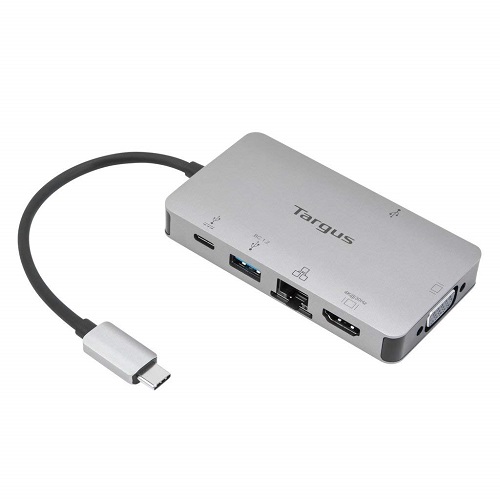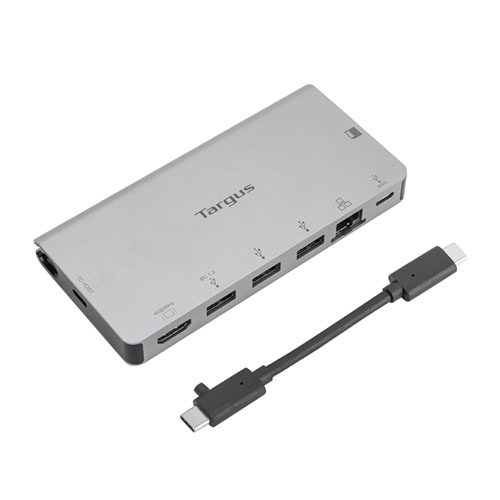
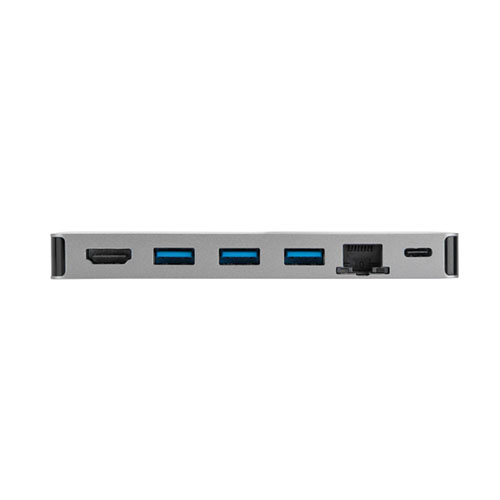
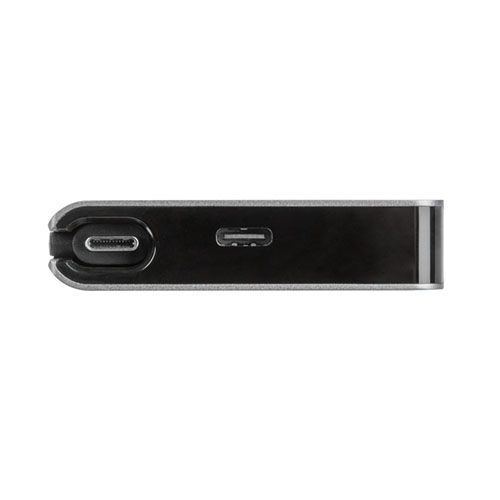
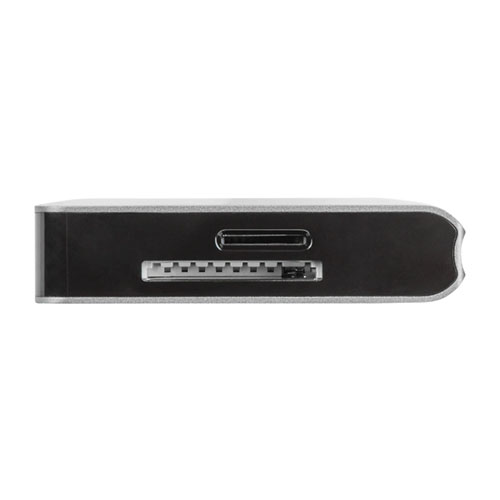
Targus DOCK414AP USB-C Travel Docking Station
Exclusive of all taxes
Product Details
Key Features
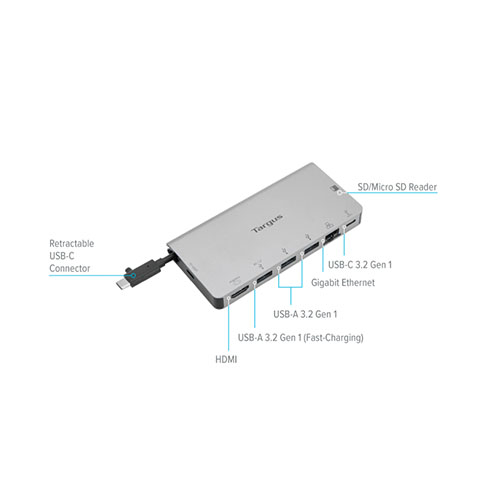
Compact Travel Design: The DOCK414AP’s slim form factor fits easily in a laptop bag, making it ideal for on‑the‑go professionals.
Triple USB‑A Connectivity: Three USB‑A ports provide ample legacy connections for keyboards, mice, and flash drives.
High‑Speed USB‑C / USB3.2 Gen 2: The USB‑C port delivers USB 3.2 Gen 2 speeds, supporting up to 5 Gbps data transfer for fast file moves.
4K HDMI Output: One HDMI port drives a single external monitor at up to 4K resolution @30 Hz for crisp presentations.
Fast Charging Capability: A dedicated fast‑charging port supplies rapid power to compatible devices while you work.
100W Power Delivery: The USB‑C connector can deliver up to 100 W upstream, allowing you to charge a laptop and peripherals simultaneously.
Seamless Multi‑Device Setup: Connect your laptop, monitor, and peripherals with a single cable, reducing desk clutter.
Universal Compatibility: Works with any USB‑C laptop that supports DisplayPort Alt Mode and Power Delivery.
Reliable Data Transfer: Each USB‑A and USB‑C port maintains a stable 5 Gbps transfer rate, ideal for large media files.
Durable Build Quality: Targus engineering ensures a sturdy chassis that withstands frequent travel and daily use.
Model | DOCK414AP |
USB-A Ports | 3 x USB-A |
HDMI Port | 1 x HDMI |
Fast Charging Port | 1 x Fast Charging |
USB-C / USB3.2 G2 Port | 1 x USB-C / USB3.2 Gen 2 |
External Display Support | Connect one external HDMI display up to 4K@30Hz |
Data Transfer Rate | Up to 5Gbps per USB-A or USB-C port |
Power Delivery | USB-C supports up to 100W upstream power delivery |
Description
Targus DOCK414AP USB-C Travel Docking Station
Key Features & Benefits:
- Compact Travel Design: The DOCK414AP’s slim form factor fits easily in a laptop bag, making it ideal for on‑the‑go professionals.
- Triple USB‑A Connectivity: Three USB‑A ports provide ample legacy connections for keyboards, mice, and flash drives.
- High‑Speed USB‑C / USB3.2 Gen 2: The USB‑C port delivers USB 3.2 Gen 2 speeds, supporting up to 5 Gbps data transfer for fast file moves.
- 4K HDMI Output: One HDMI port drives a single external monitor at up to 4K resolution @30 Hz for crisp presentations.
- Fast Charging Capability: A dedicated fast‑charging port supplies rapid power to compatible devices while you work.
- 100W Power Delivery: The USB‑C connector can deliver up to 100 W upstream, allowing you to charge a laptop and peripherals simultaneously.
- Seamless Multi‑Device Setup: Connect your laptop, monitor, and peripherals with a single cable, reducing desk clutter.
- Universal Compatibility: Works with any USB‑C laptop that supports DisplayPort Alt Mode and Power Delivery.
- Reliable Data Transfer: Each USB‑A and USB‑C port maintains a stable 5 Gbps transfer rate, ideal for large media files.
- Durable Build Quality: Targus engineering ensures a sturdy chassis that withstands frequent travel and daily use.
Ideal For:
- Frequent business travelers needing a lightweight docking solution
- Remote workers who use a single external monitor for video calls
- Students who require multiple USB connections for peripherals and storage
- Creative professionals editing high‑resolution media on a 4K display
- IT support staff who need fast data transfer and power delivery on the go
- Entrepreneurs setting up pop‑up workstations at co‑working spaces
Summary:
The Targus DOCK414AP USB‑C Travel Docking Station combines a compact design with robust connectivity, offering three USB‑A ports, a USB‑C/USB3.2 Gen 2 port, HDMI 4K@30 Hz output, fast‑charging, and up to 100 W power delivery. Its 5 Gbps data rates ensure quick file transfers, while the single‑cable setup simplifies workspace organization. Ideal for travelers, remote workers, and creators, this dock is available now at Revolution Technology BD.
How to Order
Revolution Technology BD has made shopping easier for customers. Follow these steps:
- Click Register Button from home page
- Register with: Name + Email + Mobile + Password
- Click Create Account after entering information
- Login automatically or use Login button
- Provide mobile number and password, then Sign Up
- Choose desired product and click Buy Now
- View product details and click Add to Cart
- Click Item box (upper right corner)
- Go to Shopping Cart page
- Continue Shopping for more products or proceed
- Click "Click Here to Address" button
- Provide Full Name, Phone, Email & Delivery Address
- Click Order Submit button
- View Bill Invoice and receive email confirmation
- Print Invoice using Print button
- Wait for delivery - we'll keep you updated
- Thank you for shopping with us!