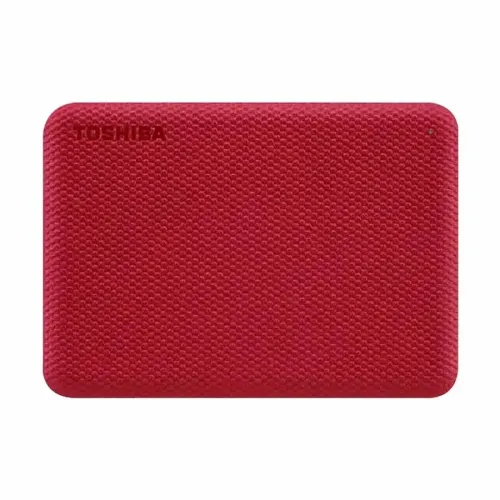
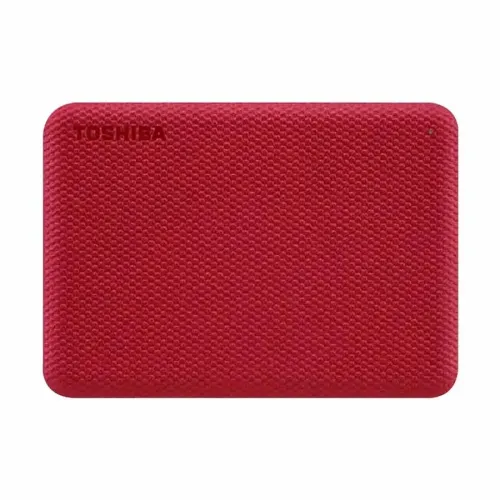
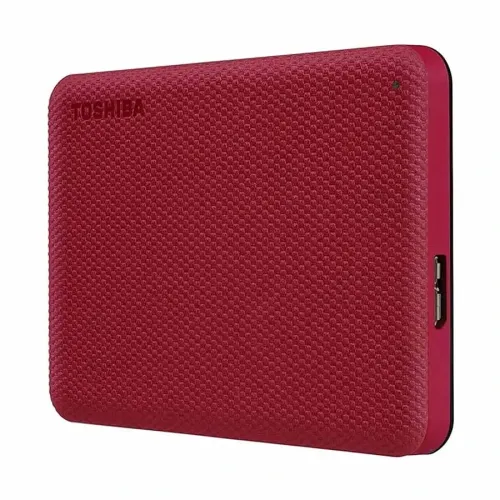
Toshiba External Hard Drive Canvio Advance 1TB Portable USB 3.2, Red
Exclusive of all taxes
Product Details
Key Features
High Capacity Storage: The 1 TB capacity lets you keep thousands of photos, videos, and documents in one portable device.
Fast Data Transfer: USB 3.2 Gen 1 interface delivers a maximum transfer rate of ~5.0 Gbit/s, speeding up backups and file moves.
Broad Compatibility: Fully backward‑compatible with USB 2.0 ports, ensuring the drive works with older computers and laptops.
Compact Portable Design: Measuring just 109 x 78 x 14 mm and weighing only 149 g, it fits easily into any bag or pocket.
Secure Cable Connection: Comes with a USB Type‑C to Micro‑B cable for reliable, plug‑and‑play connectivity.
Durable External Build: Robust external housing protects the drive against everyday bumps and scratches.
Extended Warranty Coverage: Enjoy peace of mind with a 3‑year manufacturing warranty covering defects and performance issues.
Plug‑and‑Play Simplicity: No driver installation required; just connect and start transferring files instantly.
Energy‑Efficient Operation: Optimized power consumption keeps battery drain low on laptops and tablets.
Stylish Red Finish: The vibrant red color adds a modern, eye‑catching look to your tech accessories.
Type | External |
Capacity | 1 TB |
Interface | USB 3.2 Gen 1 (USB 2.0 compatible) |
Size | Dimensions: 109 x 78 x 14 mm |
Read/Write Speed | Max. transfer rate ~ 5.0 Gbit/s |
Others | Cable: USB Type-C to Micro-B |
Weight (approx.) | 149 g |
Warranty Information | Manufacturing Warranty 03 Years Warranty |
Description
Toshiba External Hard Drive Canvio Advance 1TB Portable USB 3.2, Red
Key Features & Benefits:
- High Capacity Storage: The 1 TB capacity lets you keep thousands of photos, videos, and documents in one portable device.
- Fast Data Transfer: USB 3.2 Gen 1 interface delivers a maximum transfer rate of ~5.0 Gbit/s, speeding up backups and file moves.
- Broad Compatibility: Fully backward‑compatible with USB 2.0 ports, ensuring the drive works with older computers and laptops.
- Compact Portable Design: Measuring just 109 x 78 x 14 mm and weighing only 149 g, it fits easily into any bag or pocket.
- Secure Cable Connection: Comes with a USB Type‑C to Micro‑B cable for reliable, plug‑and‑play connectivity.
- Durable External Build: Robust external housing protects the drive against everyday bumps and scratches.
- Extended Warranty Coverage: Enjoy peace of mind with a 3‑year manufacturing warranty covering defects and performance issues.
- Plug‑and‑Play Simplicity: No driver installation required; just connect and start transferring files instantly.
- Energy‑Efficient Operation: Optimized power consumption keeps battery drain low on laptops and tablets.
- Stylish Red Finish: The vibrant red color adds a modern, eye‑catching look to your tech accessories.
Ideal For:
- Students who need reliable backup for coursework and multimedia projects
- Photographers requiring portable storage for high‑resolution images
- Small business owners backing up client files and financial records
- Travelers and digital nomads who need lightweight, on‑the‑go data storage
- Gamers transferring large game installations and updates
- Creative professionals editing video or audio files and needing fast access
Summary:
The Toshiba Canvio Advance 1TB Portable External Hard Drive offers a generous 1 TB capacity in a sleek red, compact form factor measuring 109 x 78 x 14 mm and weighing just 149 g. With USB 3.2 Gen 1 delivering up to ~5.0 Gbit/s transfer speeds and a USB‑C to Micro‑B cable included, it ensures fast, universal connectivity. Backed by a 3‑year manufacturing warranty, this drive is ideal for students, photographers, travelers, and small businesses seeking reliable, portable storage. Available now at Revolution Technology BD.
How to Order
Revolution Technology BD has made shopping easier for customers. Follow these steps:
- Click Register Button from home page
- Register with: Name + Email + Mobile + Password
- Click Create Account after entering information
- Login automatically or use Login button
- Provide mobile number and password, then Sign Up
- Choose desired product and click Buy Now
- View product details and click Add to Cart
- Click Item box (upper right corner)
- Go to Shopping Cart page
- Continue Shopping for more products or proceed
- Click "Click Here to Address" button
- Provide Full Name, Phone, Email & Delivery Address
- Click Order Submit button
- View Bill Invoice and receive email confirmation
- Print Invoice using Print button
- Wait for delivery - we'll keep you updated
- Thank you for shopping with us!