
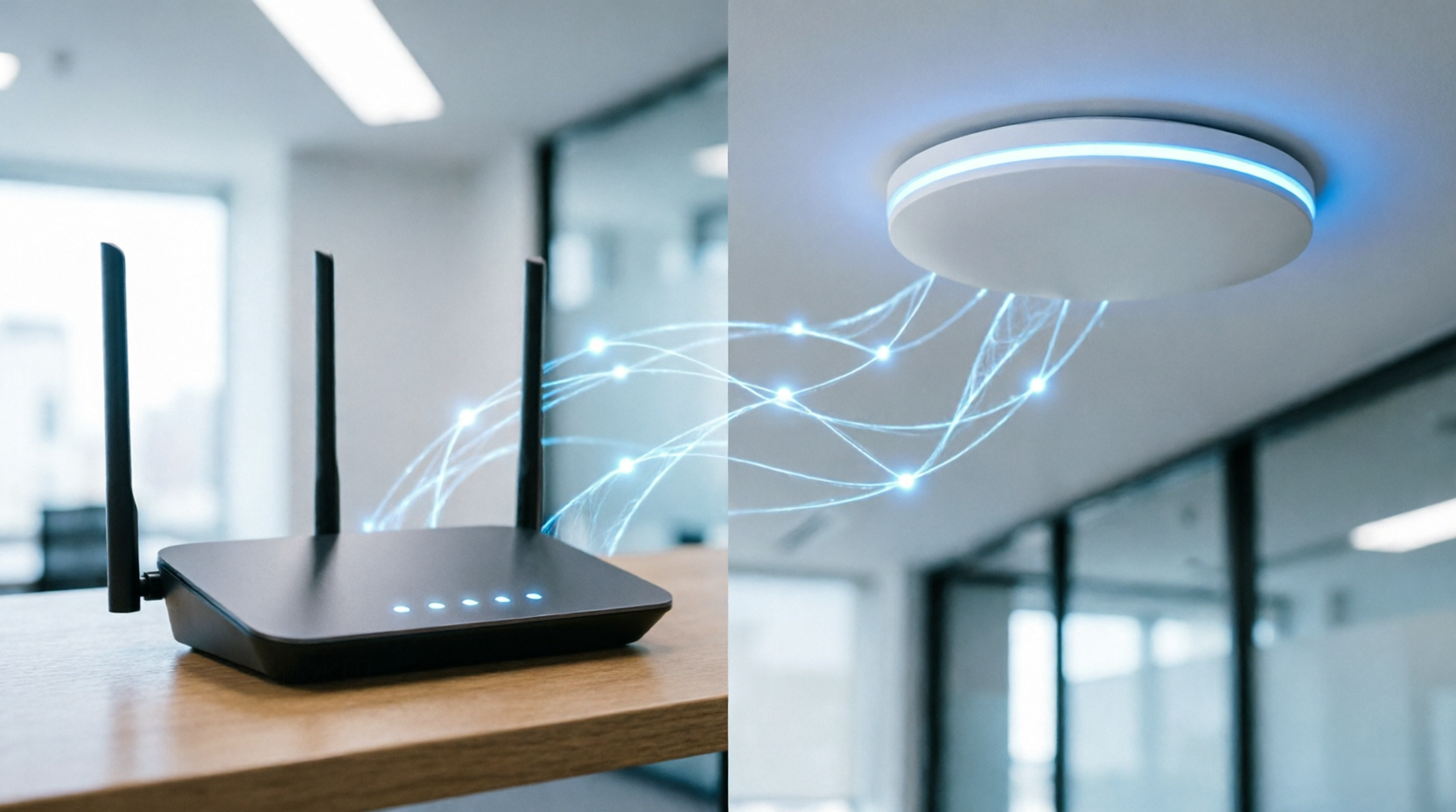
WiFi Router vs Access Point: What's the Difference?
WiFi is now an essential part of everyday life.
At home, we use it for streaming, gaming, video calls, smart devices and work. In offices, WiFi connects employees, laptops, phones, printers, CCTV systems and other devices.
But when your WiFi becomes slow or the signal does not reach every room, many people immediately think they need a better router.
Sometimes, a new router is the right solution.
But sometimes, what you actually need is a WiFi Access Point.
So, what is the difference between a WiFi router and an access point, and which one should you choose?
Let's make it simple.
What Is a WiFi Router?
A WiFi router is a networking device that connects your local network to the internet.
A typical home WiFi router can perform several functions at the same time.
It can:
Connect your network to the internet
Create a local network
Provide WiFi
Assign IP addresses
Manage network traffic
Provide basic security features
Connect wired devices through Ethernet
Create separate wireless networks on supported models
For example, a typical home router may have one WAN port for your internet connection and several LAN ports for wired devices.
Many modern routers also support both 2.4 GHz and 5 GHz WiFi bands.
Some newer models support WiFi 6 or newer wireless standards.
For a small home or apartment, a single WiFi router can often provide everything you need.
What Is a WiFi Access Point?
A WiFi Access Point, or AP, is a device designed primarily to provide wireless network access to devices.
Instead of replacing your router, an access point is normally connected to an existing wired network.
Think of it this way:
Router = Manages the network and connects it to the internet
Access Point = Extends wireless access to the network
An access point is especially useful when one router cannot provide reliable WiFi coverage throughout a building.
For example, imagine a two or three-storey office.
You may have a powerful router in the server or networking room, but the WiFi signal may not be strong enough in every office, meeting room or floor.
Instead of trying to make one router cover the entire building, you can install multiple access points in suitable locations.
WiFi Router vs Access Point
The easiest way to understand the difference is to compare their main purposes.
| Feature | WiFi Router | WiFi Access Point |
|---|---|---|
| Connects to internet | Yes | Usually through existing network |
| Creates local network | Yes | No, normally uses existing network |
| Provides WiFi | Yes | Yes |
| Assigns IP addresses | Usually | Usually no |
| Network routing | Yes | No |
| Best for | Homes and small networks | Offices, businesses and larger areas |
| Multiple AP deployment | Not usually necessary | Designed for this |
| PoE support | Less common | Common |
| Centralized management | Depends on model | Common in business APs |
The important point is that an access point does not necessarily replace your router.
In many setups, they work together.
Can a Router Work as an Access Point?
Yes.
Many modern WiFi routers have an Access Point Mode.
For example, the TP-Link Archer C24 available through Revolution Technology supports Router Mode, Access Point Mode and Range Extender Mode.
However, a dedicated business access point can provide features that are more useful for larger networks.
Depending on the model, these can include:
Multiple SSIDs
VLAN support
WPA3 security
PoE
Seamless roaming
Centralized management
Client management
Load balancing
Band steering
Higher client capacity
This is why a dedicated access point is often a better choice for an office, school, hotel, restaurant or other environment with many users.
When Should You Buy a WiFi Router?
A WiFi router may be enough if you have a:
Small Home
If you live in a small apartment or house and your router provides good coverage, there may be no reason to install a separate access point.
Small Office
A small office with a limited number of users may also be able to operate with a good business-class router and suitable WiFi coverage.
Simple Network
If you only need internet access for laptops, smartphones, TVs and a few other devices, a router can keep your network simple.
Modern routers can also provide impressive wireless performance.
For example, the TP-Link Archer AX15 available from Revolution Technology supports WiFi 6, up to 1201 Mbps on 5 GHz, up to 300 Mbps on 2.4 GHz and Gigabit Ethernet ports.
When Should You Buy a WiFi Access Point?
An access point becomes more useful when your network is larger or your WiFi requirements are more demanding.
Large Office
If employees are spread across multiple rooms or floors, multiple access points can provide more consistent coverage.
Many Users
Business access points are designed to handle a large number of connected devices.
For example, some access points available through Revolution Technology support hundreds of clients depending on the model.
Multiple Floors
Instead of relying on one router to send WiFi through walls and floors, you can install access points where coverage is actually required.
Hotels and Restaurants
Businesses that provide WiFi to customers need to think about coverage, capacity and network management.
Multiple access points can provide better coverage across rooms, floors and common areas.
Schools and Institutions
A school, university or training center may have hundreds of connected devices.
In such environments, business-grade access points can provide better control and capacity than a basic home router.
What Is PoE and Why Is It Useful for Access Points?
One of the biggest advantages of many business access points is Power over Ethernet, or PoE.
PoE allows a compatible Ethernet cable to carry both:
Data + Power
This means an access point can be installed without needing a separate power adapter nearby.
For example, several access points available through Revolution Technology support PoE. The TP-Link EAP245 includes a Gigabit Passive PoE adapter, while other models support IEEE 802.3af/at PoE.
This can make ceiling and wall installations much cleaner.
It can also simplify installation in offices, hotels, warehouses and other commercial environments.
Why One Powerful Router Is Not Always the Answer
A common mistake is thinking:
"My WiFi is slow, so I need the most powerful router."
Not necessarily.
WiFi performance depends on several factors:
Building size
Wall thickness
Number of users
Number of connected devices
Distance from the router
Interference
WiFi standard
Channel congestion
Access point placement
Internet connection speed
Imagine a large office with 50 employees.
Even if you install a very powerful router, placing it in one corner of the building will not necessarily provide good WiFi everywhere.
A better solution could be:
Internet → Router/Firewall → Network Switch → Multiple Access Points
Each access point can then provide wireless coverage in a specific area.
Access Point vs WiFi Extender
An access point is also different from a traditional WiFi extender.
A WiFi extender usually receives an existing wireless signal and retransmits it.
An access point is normally connected to the network using Ethernet.
This difference matters.
With an Ethernet-connected access point, the wireless device does not have to rely on receiving a weak WiFi signal from another access point or router before retransmitting it.
For business networks, wired access points are often preferred because they provide a more controlled and scalable network design.
Can You Use Multiple Access Points?
Yes.
In fact, multiple access points are one of the main reasons businesses choose dedicated APs.
For example, an office could have:
AP 1 → Reception
AP 2 → Open Office
AP 3 → Meeting Rooms
AP 4 → Management Area
AP 5 → Training Room
The exact number depends on the building layout, wall materials, user density and expected wireless traffic.
Modern business access points can also support features such as seamless roaming, allowing users to move around the building while staying connected to the wireless network.
Some Cambium access points available from Revolution Technology support fast roaming, multiple SSIDs and high client capacity.
WiFi 5 vs WiFi 6 vs WiFi 6E vs WiFi 7
When choosing a router or access point, you may also see terms such as:
WiFi 5
Based on 802.11ac.
WiFi 6
Based on 802.11ax and designed to improve efficiency in environments with many connected devices.
WiFi 6E
Extends WiFi 6 into the 6 GHz band where supported.
WiFi 7
The newer generation designed to provide higher throughput, lower latency and improved performance for demanding wireless environments.
For example, Revolution Technology currently offers WiFi 6 and WiFi 6E access points, as well as WiFi 7 models such as the Cambium X7-53X.
The newest standard is not automatically the best choice for every customer.
Your devices, building, number of users and budget should determine which technology makes sense.
So, Which One Should You Buy?
The answer depends on your environment.
Choose a WiFi Router if:
You are setting up a home network
You have a small apartment
You have a small number of users
You need basic internet and WiFi
One wireless location provides sufficient coverage
You want a simple setup
Choose Access Points if:
You have a large house or office
You need WiFi across multiple floors
Many people use the network
You have many connected devices
You need better coverage
You want multiple wireless access points
You need business-grade network management
You want PoE installation
You need features such as VLANs, multiple SSIDs or seamless roaming
Choose Both if:
For many business networks, the best solution is not router vs access point.
It is:
Router + Switch + Access Points
The router handles the network and internet connection.
The switch connects your wired devices and access points.
The access points provide wireless coverage.
This approach can create a more scalable network as your business grows.
Explore WiFi Networking Solutions
If you are looking for a WiFi router or access point in Bangladesh, Revolution Technology BD offers networking solutions for homes, offices and larger business environments.
Our Access Point collection includes options from brands such as TP-Link, MikroTik and HPE Aruba, with models offering features such as WiFi 6, PoE, multiple SSIDs, seamless roaming, MU-MIMO and support for multiple connected clients.
Explore Access Points:
View Access Points at Revolution Technology BD
For homes and smaller networks, you can also explore our range of WiFi Routers with different wireless standards, speeds and features.
Explore WiFi Routers:
View WiFi Routers at Revolution Technology BD
Not sure which one you need?
Share your building size, number of users, number of floors, internet speed and expected usage with our team. We can help you identify a suitable networking solution.
Revolution Technology BD
Corporate Headquarter:
54, Motijheel Commercial Area, Elite House, 3rd Floor, Dhaka-1000, Bangladesh
Phone:
+880 2226-642063
+880 1404-078081
Email:
info@revolutiontech.com.bd
Website:
www.revolutiontech.com.bd
Build a WiFi network that works for your space today and can grow with you tomorrow.



