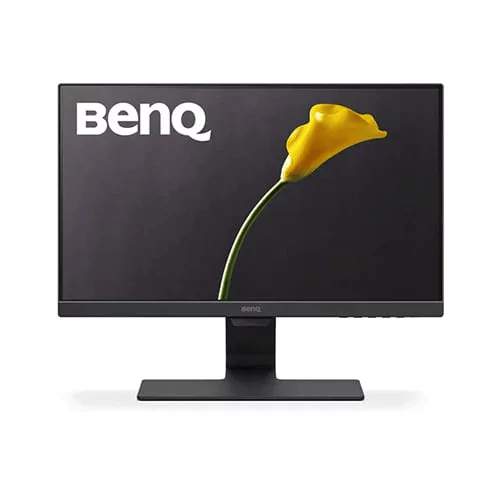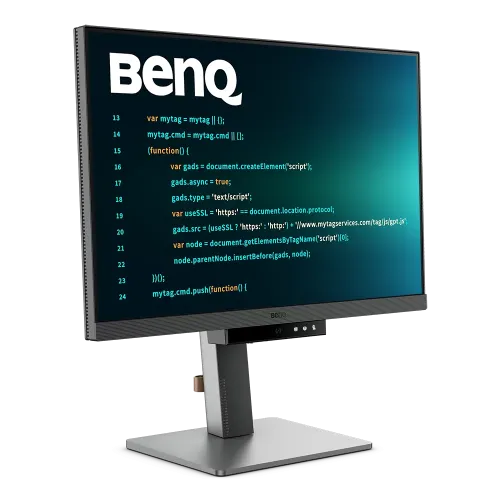
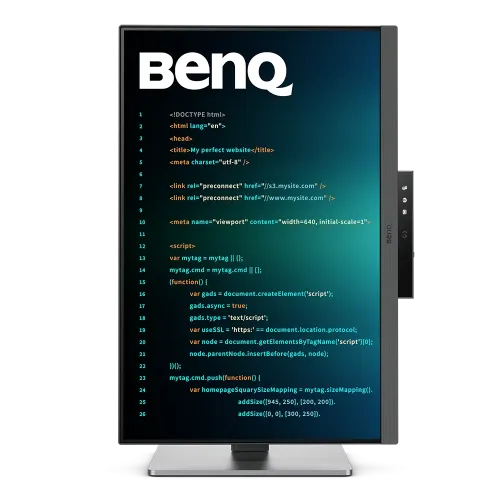
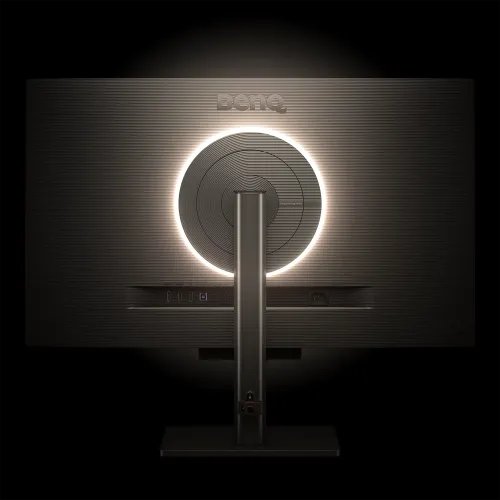
BenQ RD280UA 28" 4K+ IPS 60Hz Type-C Programming Monitor
Contact us for pricing
Product Details
Key Features
Model: RD280UA
Resolution: 4K+ (3840x2560)
Display: 28.2 inch, IPS, 60Hz,
5ms (GTG)
Ports: 1xHDMI2.0, 1x
DisplayPort1.4, 1xUSB Type-C, 3xUSB 3.2
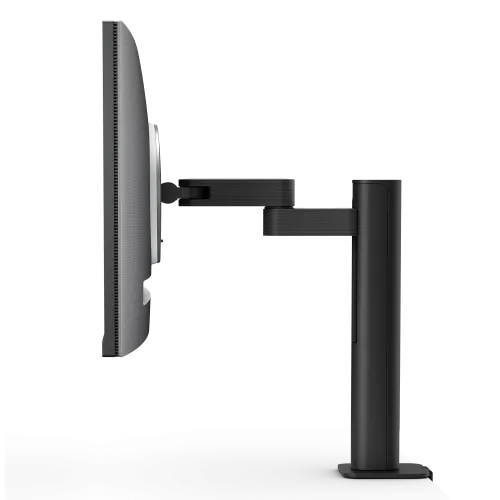
Features: Backlight and
Flexible Arm, 2Wx2 Speaker, Flicker-free, Low Blue Light
Specification
|
Display Size |
28.2 inch |
|
Display Type |
LED backlight |
|
Panel Type |
IPS |
|
Resolution |
4K+ (3840x2560) |
|
Pixels Per Inch (PPI) |
164 |
|
Aspect Ratio |
3:2 |
|
Viewing Angle |
178°/178° |
|
Brightness |
Brightness (typ.): 400 nits |
|
Contrast Ratio |
1200:1 |
|
Refresh Rate |
60 (DP, USB-C) |
|
Color Support |
1.07 billion |
|
Color Gamut |
95% P3 |
|
Response Time |
5ms (GTG) |
|
HDR |
HDR10, VESA DisplayHDR 400 |
|
Curvature |
Flat |
|
Others Features |
Gamma: 1.8 - 2.6 |
|
Color Temperature Selection |
Bluish, Normal, Reddish, User
Define |
|
Flicker Free |
Yes |
|
Low Blue Light |
Yes |
|
HDCP |
2.2 |
|
Speaker (Built In) |
Yes |
|
Speaker Details |
2Wx2 |
|
Display Port |
1x DisplayPort1.4 |
|
HDMI |
1xHDMI2.0 |
|
USB Port(s) |
3xUSB 3.2 Gen 1, 5 Gbps, power
charging 4.5W |
|
USB Type-C |
1xUSB Type-C |
|
Audio Jack |
Yes |
|
Others |
Daisy Chain Technology: USB C
out ( MST) |
|
Tilt |
-5˚ - 30˚ |
|
Swivel |
275˚/ 275˚ |
|
Pivot |
90˚ |
|
Height Adjustment |
130 mm |
|
Vesa Wall Mount |
100x100 mm |
|
Color |
Black |
|
Dimension |
Dimensions (HxWxD) (mm) |
|
Weight |
Net Weight (kg) |
|
Power Consumption |
Power Consumption (normal): 34
W |
|
Voltage |
100 - 240V |
|
Others |
Power Supply: Built-in |
|
Warranty |
3 Year Warranty |
Description
BenQ RD280UA 28" 4K+ 60Hz
IPS Type-C Programming Monitor
The
BenQ RD280UA 28" 4K+ IPS 60Hz Type-C Programming Monitor provides a
powerful viewing experience with a 28.2-inch IPS screen and LED backlight,
giving a resolution of 3840x2560 and a brightness of 350 nits (peak 400 nits
with HDR10 and VESA DisplayHDR 400). This BenQ RD280UA 28" Programming
Monitor has a 3:2 aspect ratio and a 95% P3 color gamut, resulting in vibrant,
realistic colors ideal for programming, design, and multimedia work. The
RD280UA 28" BenQ Programming Monitor boasts a refresh rate of 60Hz, a
reaction time of 5ms, and a native contrast ratio of 1200:1. The nano-matte
coating minimizes glare, and the 164 PPI provides sharp text and tiny details.
The BenQ RD280UA Type-C Monitor has Flicker-Free technology, Low Blue Light
Plus, and Brightness Intelligence Gen2. The display is extremely flexible, with
tilt, swivel, pivot, and height adjustments, and it has a variety of connecting
choices, including HDMI, DisplayPort, USB-C, and several USB 3.2 ports. Power
delivery is via USB-C (90W), making the BenQ RD280UA 28" Monitor a
flexible and comfortable choice for professionals.
Nano Matte Panel and Advanced
Coding Modes
BenQ's
Nano Matte Panel and advanced coding modes are intended to improve the coding
experience for professionals who work long hours in front of their displays.
The Nano Matte Panel uses innovative nano-technology to decrease glare and
reflections while retaining outstanding color accuracy and clarity, making it
perfect for bright surroundings and reducing eye strain during long work
periods. This technology provides a more pleasant viewing experience by
reducing visual distractions and displaying consistent, brilliant colors. With
sophisticated coding modes, the BenQ RD280UA 28" display offers
configurable settings that increase code readability. These settings change the
contrast and color temperature, emphasize crucial code parts for easy
separation, and reduce blue light emissions to prevent eye strain. Additional advantages
include flicker-free technology.
Seamless Blend of Immersive
Illumination
The
BenQ RD280UA Monitor's Backlight MoonHalo seems like a terrific lighting
solution for creating the ideal mood. It appears to provide a great deal of
adaptability for both utilitarian and relaxing use, with configurable color
temperature, brightness, and light modes. The flexibility to customize these
settings to your requirements may improve any room, whether you're using it for
gaming, business, or simply creating a comfortable atmosphere.
Coding Hotkey and Function
The
BenQ RD280UA 28" Monitor's Coding HotKey and Function Bar are intended to
increase productivity by offering quick and easy access to coding tools and
environments. Users may rapidly immerse themselves in their coding process by
pressing the Coding HotKey, whether it's to launch the editor, switch
languages, or access commonly used snippets. The accompanying Function Bar
provides quick access to key functionality including debugging tools, code
formatting, testing procedures, and version control integration. This simple
configuration enables developers to stay focused on their work by reducing
distractions and simplifying daily coding processes for optimum performance.
How to Order
Revolution Technology BD has made shopping easier for customers. Follow these steps:
- Click Register Button from home page
- Register with: Name + Email + Mobile + Password
- Click Create Account after entering information
- Login automatically or use Login button
- Provide mobile number and password, then Sign Up
- Choose desired product and click Buy Now
- View product details and click Add to Cart
- Click Item box (upper right corner)
- Go to Shopping Cart page
- Continue Shopping for more products or proceed
- Click "Click Here to Address" button
- Provide Full Name, Phone, Email & Delivery Address
- Click Order Submit button
- View Bill Invoice and receive email confirmation
- Print Invoice using Print button
- Wait for delivery - we'll keep you updated
- Thank you for shopping with us!