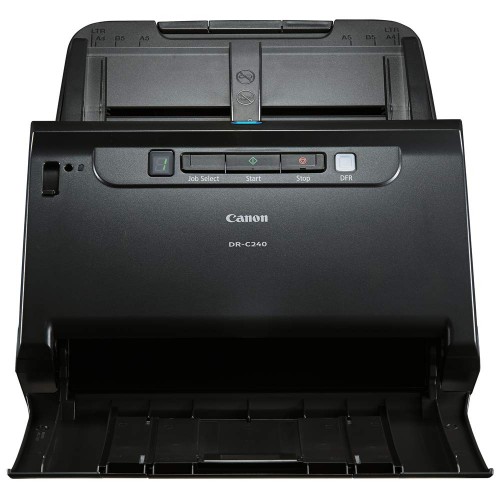
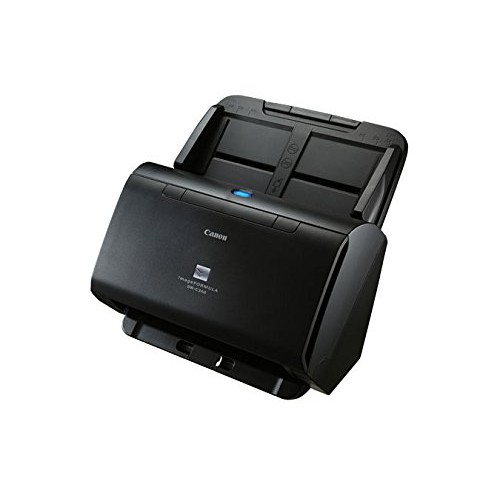
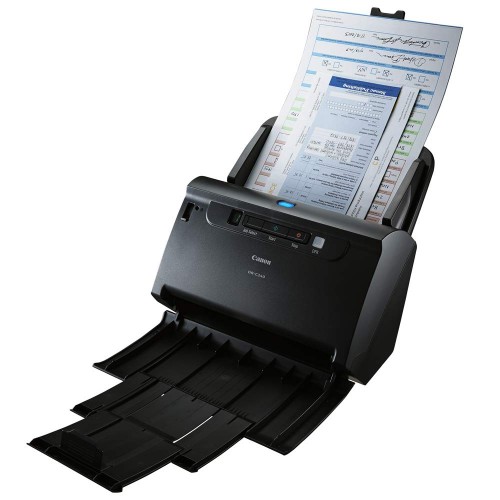
Canon DR-C240 Document Scanner
Exclusive of all taxes
Product Details
Key Features
Model: Canon DR-C240
Speed:45 ppm in B&W
Resolution: 600 x 600dpi
Connectivity: Hi-Speed USB
Sheet Capacity (ADF): 60 Sheets
Specifications
|
Type |
Sheetfed Scanner |
|
Resolution |
600 dpi |
|
Interface |
USB 2.0 |
|
Scanning Speed (B & W) |
45 ppm / 90 ipm |
|
Scanning Speed (Color) |
30 ppm / 60 ipm |
|
Scanning Speed (Gray) |
45 ppm / 90 ipm |
|
Scan Technology |
CIS (Contact Image Sensor) |
|
Media Type |
Plain Paper (Width: 50.8–216 mm,
Length: 54–356 mm), Business Card (≥50.8 × 85 mm), ISO Card (54 × 86 mm) |
|
Paper Weight |
Plain Paper (Page Separation:
27–209 g/m², Non-Separation: 27–255 g/m²), Business Card (380 g/m²), 7–56 lb |
|
Scan Size |
A4, Letter, Legal, A5, A6 |
|
Warranty |
1 Year |
|
Dimensions (W × D × H) |
289.56 × 228.6 × 251.46 mm |
|
Weight |
2.79 kg |
|
Color |
Black |
Description
Canon
DR-C240 Document Scanner
The Canon DR-C240 Scanner is a
high-speed, compact Canon Document Scanner built for demanding office
environments, front desks, and customer service counters. Designed to handle a
wide variety of media types, this Canon Scanner offers impressive performance
with scanning speeds of up to 45 pages per minute (90 images per minute) and a
60-sheet automatic document feeder (ADF).
Whether you're scanning A4
documents, passports, plastic ID cards, or long-form papers, the DR-C240
delivers consistent, high-quality results. Its advanced feeding mechanism
ensures smooth operation with minimal paper jams, while features like
ultrasonic double-feed detection, auto page size detection, and text enhancement
streamline the scanning process.
Compact and quiet, the Canon
DR-C240 Scanner fits easily into tight workspaces and supports seamless
integration with cloud platforms like Google Drive, Dropbox, and SharePoint via
Canon’s bundled CaptureOnTouch and CapturePerfect software. Ideal for
digitizing workflows, this Canon Document Scanner is a reliable solution for
boosting productivity in banks, hospitals, government offices, and corporate
settings.
How to Order
Revolution Technology BD has made shopping easier for customers. Follow these steps:
- Click Register Button from home page
- Register with: Name + Email + Mobile + Password
- Click Create Account after entering information
- Login automatically or use Login button
- Provide mobile number and password, then Sign Up
- Choose desired product and click Buy Now
- View product details and click Add to Cart
- Click Item box (upper right corner)
- Go to Shopping Cart page
- Continue Shopping for more products or proceed
- Click "Click Here to Address" button
- Provide Full Name, Phone, Email & Delivery Address
- Click Order Submit button
- View Bill Invoice and receive email confirmation
- Print Invoice using Print button
- Wait for delivery - we'll keep you updated
- Thank you for shopping with us!