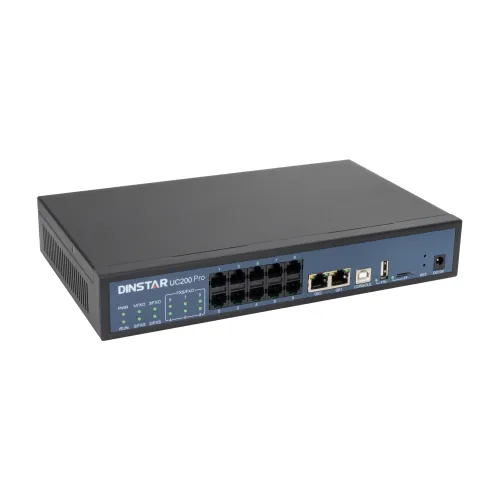
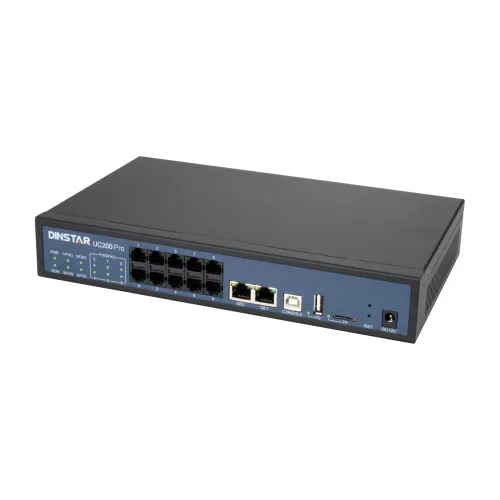
DINSTAR UC200 Pro 200 SIP IP PBX System
Exclusive of all taxes
Product Details
Key Features
Model: UC200
Pro
SIP Extensions:
200
Concurrent
Calls: 30
Analog Ports:
2×FXS, 2×FXO
Call Routing:
Flexible Call Routing Options
Specifications
|
Protocols/Standards |
SIP, IAX |
|
Security |
NAT
Traversal, Firewall Protection |
|
Operating
System |
Embedded
Linux |
|
Others |
SIP
Extensions: 200 |
|
Power
Input |
AC
110-240V / DC 12V |
|
Power
Consumption |
10W |
|
Dimensions |
19 × 17.5
× 4 cm |
|
Weight |
1.5 kg |
|
Color |
Black |
|
Warranty |
1 year |
Description
DINSTAR UC200 Pro 200 SIP IP PBX System
The Dinstar UC200 Pro 200 SIP IP PBX System is a reliable and powerful communication system designed to satisfy the needs of small to medium-sized enterprises seeking efficiency, flexibility, and scaleability. This PBX system supports up to 200 SIP extensions and 30 concurrent calls, ensuring easy communication between teams while providing enterprise-grade reliability. DINSTAR UC200 Pro IP PBX comes standard with 2 FXS and 2 FXO analog connections, with expansion options allowing for up to 8 FXS and 8 FXO ports, giving businesses the ability to scale as their communication needs develop. The DINSTAR UC200 Pro 200 SIP IP PBX System, which is based on an embedded Linux operating system, ensures stability and security, making it a reliable alternative for ongoing corporate operations. It supports numerous protocols, including SIP and IAX, as well as major audio codecs including G.711, G.723, G.729, and G.722, ensuring high-quality voice communication and broad interoperability with a variety of devices. The system also has customizable call routing options, allowing organizations to fully design their call flows based on unique requirements, such as internal team collaboration or customer communication. The DINSTAR UC200 Pro 200 SIP IP PBX System includes critical enterprise capabilities including voicemail, NAT traversal, and firewall protection to ensure secure and uninterrupted communication.
How to Order
Revolution Technology BD has made shopping easier for customers. Follow these steps:
- Click Register Button from home page
- Register with: Name + Email + Mobile + Password
- Click Create Account after entering information
- Login automatically or use Login button
- Provide mobile number and password, then Sign Up
- Choose desired product and click Buy Now
- View product details and click Add to Cart
- Click Item box (upper right corner)
- Go to Shopping Cart page
- Continue Shopping for more products or proceed
- Click "Click Here to Address" button
- Provide Full Name, Phone, Email & Delivery Address
- Click Order Submit button
- View Bill Invoice and receive email confirmation
- Print Invoice using Print button
- Wait for delivery - we'll keep you updated
- Thank you for shopping with us!