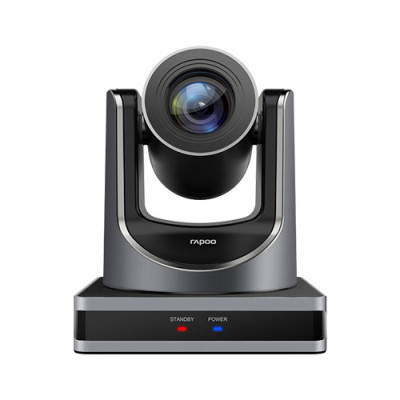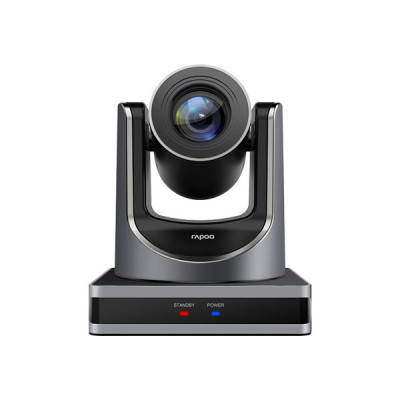
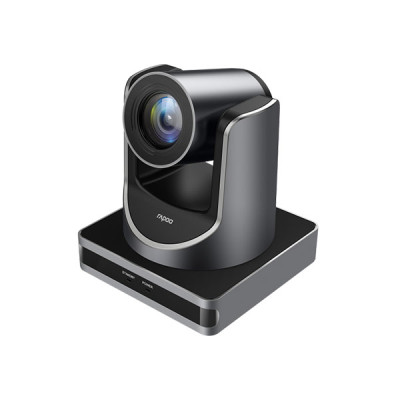
Rapoo C1612 HD Video Conference Camera
Exclusive of all taxes
Product Details
Key Features
2.07 megapixel Panasonic CMOS sensor,1080P Video Resolution
Auto Focus Support 12x Optical Zoom+16x Digital Zoom
Multiple controlling methods
Support Slice and SVC encoding mode
1-Year Brand Warranty
|
Additional Info |
2.07 megapixel Panasonic CMOS sensor,1080P Video
Resolution |
Description
Rapoo C1612 FHD Video Conference Camera
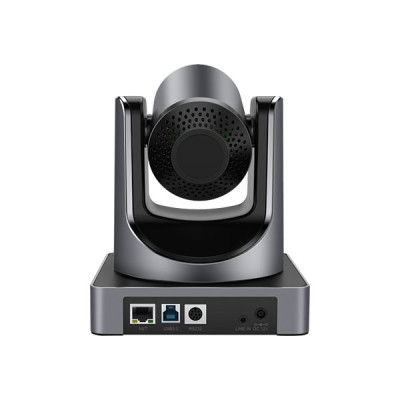
The Rapoo C1612 HD Video Conference Camera is an advanced option for virtual meetings, webinars, and distant collaborations. Featuring a 2.07 MP Panasonic CMOS sensor, it captures stunning Full HD 1080P and HD 720P video resolutions with exceptional clarity. The camera's 12x optical zoom and 16x digital zoom provide diverse viewing possibilities, while the auto-focus technology ensures participants remain sharp and clear. With clever noise reduction, several connectivity options including USB 3.0, HDMI, and RJ45 Power over Ethernet (PoE), and compatibility for RS232 and RS485 remote control, the Rapoo C1612 offers a professional and seamless video conferencing experience
Exceptional Clarity and Versatile Zoom Capabilities
The Rapoo C1612 HD Video Conference Camera boasts a 2.07 MP Panasonic CMOS sensor that captures stunning Full HD 1080P and HD 720P video resolutions, ensuring exceptional clarity and detail. It features auto-focus support, which automatically adjusts to keep participants sharp and clear throughout the meeting. Additionally, the camera offers impressive zoom capabilities with 12x optical zoom and 16x digital zoom, allowing you to focus on specific details or capture the entire room with precision.
How to Order
Revolution Technology BD has made shopping easier for customers. Follow these steps:
- Click Register Button from home page
- Register with: Name + Email + Mobile + Password
- Click Create Account after entering information
- Login automatically or use Login button
- Provide mobile number and password, then Sign Up
- Choose desired product and click Buy Now
- View product details and click Add to Cart
- Click Item box (upper right corner)
- Go to Shopping Cart page
- Continue Shopping for more products or proceed
- Click "Click Here to Address" button
- Provide Full Name, Phone, Email & Delivery Address
- Click Order Submit button
- View Bill Invoice and receive email confirmation
- Print Invoice using Print button
- Wait for delivery - we'll keep you updated
- Thank you for shopping with us!