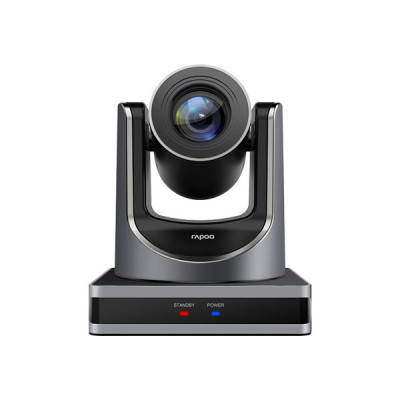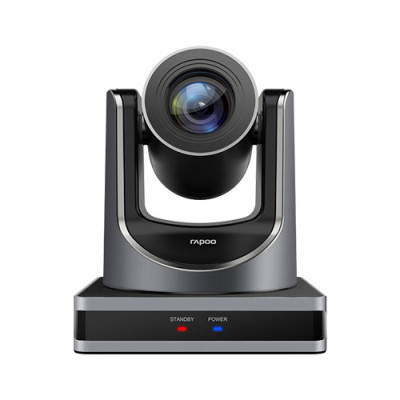
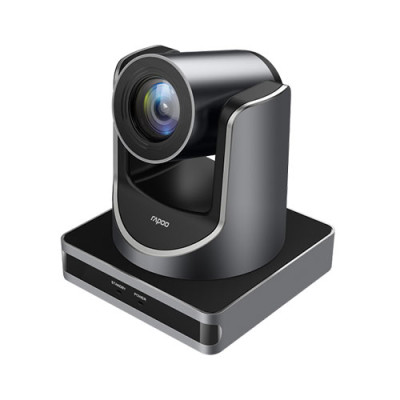
Rapoo C1620 HD Video Conference Camera
Contact us for pricing
Product Details
Key Features
Autofocus HD 1080P with premium lens
Signal-to-noise ratio up to 55dB, reducing reverberation and ambient noise
Support 20x Optical Zoom + 16x Digital Zoom
1 Year Brand Warranty
Specification
|
Angle Adjustment |
340°horizontal rotation/120°vertical rotation |
|
Interface |
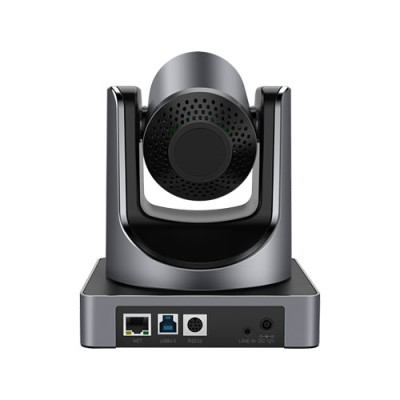
USB 3.0 |
|
System Requirements |
Windows7/8/10 or above, Mac OS X, Linux, and Android V5.0 or above |
|
Product Dimension |
144*144*168mm |
|
Design highlights/ Function highlights |
2.07 megapixel Panasonic CMOS sensor,1080P Video
Resolution |
|
Sensor |
2.07 megapixel Panasonic CMOS sensor |
|
Resolution |
FHD 1080P / HD 720P |
|
Focus Type |
Auto Focus Support 20x Optical Zoom+16x Digital Zoom |
|
Compatible with |
Skype, Zoom, Google Hangouts, FaceTime for Mac, QQ, WeChat |
|
Warranty |
1 Year Brand Warranty |
Description
Rapoo C1620 HD Video Conference Camera
Rapoo C1620 is a top-of-the-line HD video conference camera. This camera is equipped with a premium lens and 2.07 megapixel Panasonic CMOS sensor to provide you with stunning HD 1080P video quality. It also has a signal-to-noise ratio of up to 55dB, reducing reverberation and ambient noise.
The Rapoo C1620 also supports 20x Optical Zoom + 16x Digital Zoom and is compatible with many popular applications. It has an automatic camera control and multiple installation options for your convenience. Additionally, it has a dual power supply and supports the YUY2, MJPEG, and H.264 formats.
Finally, the Rapoo C1620 is Skype, Zoom, Google Hangouts, FaceTime for Mac, QQ, and WeChat compatible. Rapoo C1620 HD Video Conference Camera comes with a 1- year brand warranty. So what are you waiting for? Get the Rapoo C1620 today and enjoy crystal clear video conferencing like never before!
How to Order
Revolution Technology BD has made shopping easier for customers. Follow these steps:
- Click Register Button from home page
- Register with: Name + Email + Mobile + Password
- Click Create Account after entering information
- Login automatically or use Login button
- Provide mobile number and password, then Sign Up
- Choose desired product and click Buy Now
- View product details and click Add to Cart
- Click Item box (upper right corner)
- Go to Shopping Cart page
- Continue Shopping for more products or proceed
- Click "Click Here to Address" button
- Provide Full Name, Phone, Email & Delivery Address
- Click Order Submit button
- View Bill Invoice and receive email confirmation
- Print Invoice using Print button
- Wait for delivery - we'll keep you updated
- Thank you for shopping with us!