


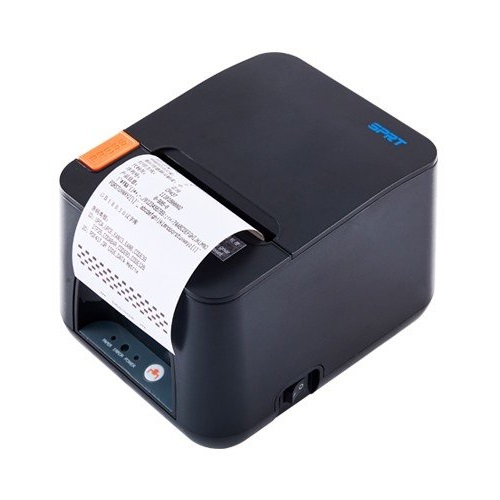
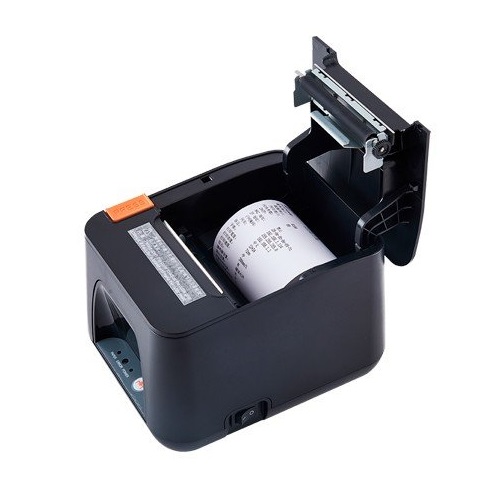
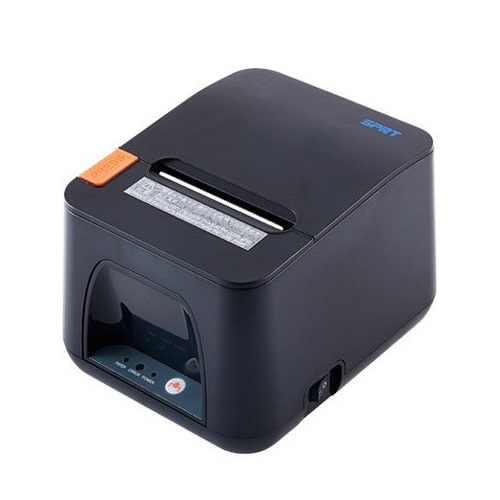
SPRT SP-POS890W Thermal POS Printer
Exclusive of all taxes
Product Details
Key Features
Model: SP-POS890W
Paper Width: 79.5 ±0.5mm/
57.5 ±0.5mm
Lan + USB + Wi-Fi
Printing Speed: 250 mm/s
Windows/ JPOS/ OPOS/ Linux/
Android
Key Features
|
General |
||
|
Power |
DC24V±10%, 2A |
|
|
Dimensions |
185 x 150 x 123mm (L×W×H) |
|
|
Color |
Black |
|
|
Print |
||
|
Print Technology |
Thermal Line |
|
|
Print Speed |
250 mm/s |
|
|
Print Resolution |
Thermal Line 8 dots/mm |
|
|
Paper
Handling |
||
|
Paper Size |
Max 80 mm×Ø80mm/Max 58 mm×Ø80 |
|
|
Paper Type |
Normal Thermal Paper/ Blackmark Paper |
|
|
Others |
Auto cutter: 1,500,000 cuts |
|
|
Connectivity |
||
|
LAN |
Yes |
|
|
Wi-Fi |
WIFI (2.4G/ 5G) |
|
|
USB |
Yes |
|
|
Others |
Bluetooth (4.0) |
|
|
Warranty |
||
|
Warranty |
01 Year |
|
Description
SPRT SP-POS890W Thermal POS Printer
The SPRT SP-POS890W Thermal
POS Printer can easily fit into any type of working environment and provide you
with the best performance. The POS printer is suited to work in supermarkets,
banks, catering services, toll gate, insurance offices, and other places. The
printer is able to run on Bluetooth, Wi-Fi, LAN, and USB. The printer has a
speed of 250 mm/s and has a Normal Thermal Paper/ Blackmark Paper paper type.
The printer can also work with barcode machines. The printing machine uses
Codepage Print Font. The POS printer requires Windows/ JPOS/ OPOS/ Linux/
Android Operation System to work properly.
How to Order
Revolution Technology BD has made shopping easier for customers. Follow these steps:
- Click Register Button from home page
- Register with: Name + Email + Mobile + Password
- Click Create Account after entering information
- Login automatically or use Login button
- Provide mobile number and password, then Sign Up
- Choose desired product and click Buy Now
- View product details and click Add to Cart
- Click Item box (upper right corner)
- Go to Shopping Cart page
- Continue Shopping for more products or proceed
- Click "Click Here to Address" button
- Provide Full Name, Phone, Email & Delivery Address
- Click Order Submit button
- View Bill Invoice and receive email confirmation
- Print Invoice using Print button
- Wait for delivery - we'll keep you updated
- Thank you for shopping with us!



