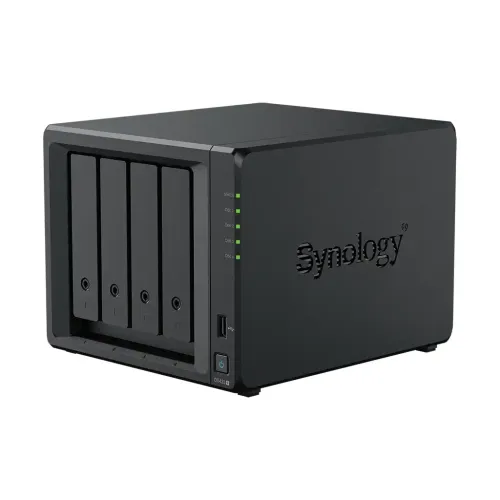
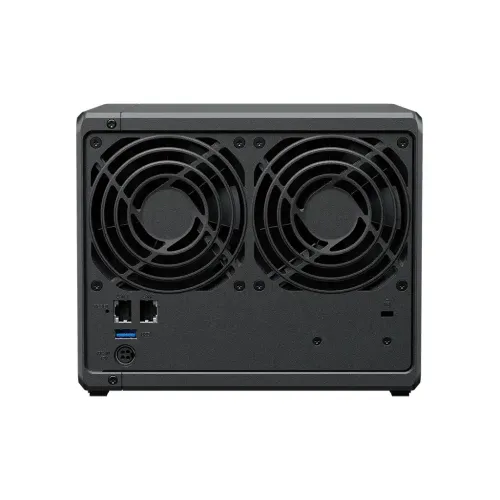
Synology DiskStation DS423+ 4-Bays NAS Enclosure
Contact us for pricing
Product Details
Key Features
Model:
DiskStation DS423+
Processor:
2.0 GHz Intel Celeron J4125 Quad-Core
RAM:
2 GB DDR4 non-ECC SODIMM
HDD
Interface: 4 x 2.5"/3.5" SATA III/II
LAN:
2x Gigabit (RJ-45)
Specification
|
Processor |
2.0 GHz Intel
Celeron J4125 Quad-Core |
|
Memory |
2GB DDR4
non-ECC RAM |
|
RAID Controller |
RAID 0, 1, 5,
6, 10, Hybrid, Basic, JBOD |
|
Operating
System |
Synology
DiskStation Manager OS |
|
Network |
2 x Gigabit
Ethernet Ports |
|
Drive Bays |
4 x 3.5/2.5″
Bays | 2 x M.2 2280 Slots |
|
I/O Slots |
2 x USB 3.0
Type-A Ports |
|
Warranty |
2-year warranty |
Description
Synology DiskStation DS423+ 4-Bays NAS
Enclosure
The Synology DiskStation DS423+
4-Bays NAS Enclosure is powered by a 2.0 GHz Intel Celeron J4125 Quad-Core
processor, AES-NI hardware encryption engine, and Btrfs file system support. It
comes with 2 GB DDR4 RAM. The
DiskStation DS423+is capable of sequential read speeds up to 226 MB/s
and sequential write speeds up to 225.74 MB/s, as well as encrypted reads at up
to 225.99 MB/s and encrypted writes at 225.91 MB/s. It is equipped with a
hardware encryption engine, DiskStation DS423+ offloads the encryption
calculation tasks from the main CPU. It supports Synology Hybrid RAID (SHR),
Basic, JBOD, RAID 0, RAID 1. It comes with two USB 3.0 Type-A ports which allow
it to be connected to your host system, and network connectivity is achieved
via the dual integrated Gigabit Ethernet ports that support link aggregation
and failover, allowing your stored data to be shared with users throughout the
network.
How to Order
Revolution Technology BD has made shopping easier for customers. Follow these steps:
- Click Register Button from home page
- Register with: Name + Email + Mobile + Password
- Click Create Account after entering information
- Login automatically or use Login button
- Provide mobile number and password, then Sign Up
- Choose desired product and click Buy Now
- View product details and click Add to Cart
- Click Item box (upper right corner)
- Go to Shopping Cart page
- Continue Shopping for more products or proceed
- Click "Click Here to Address" button
- Provide Full Name, Phone, Email & Delivery Address
- Click Order Submit button
- View Bill Invoice and receive email confirmation
- Print Invoice using Print button
- Wait for delivery - we'll keep you updated
- Thank you for shopping with us!