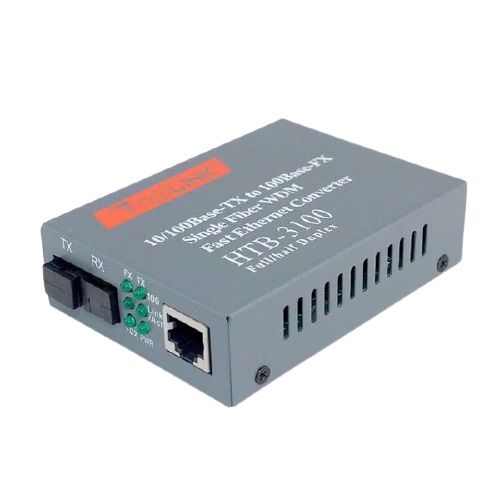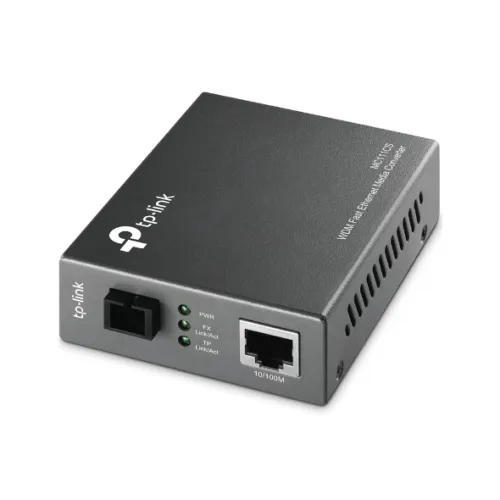
TP-Link MC111CS 10/100Mbps WDM Media Converter
Exclusive of all taxes
Product Details
Key Features
Model: MC111CS
Complies with 802.3u
10/100Base-TX, 100Base-FX standards
Auto-negotiation of
Half-Duplex / Full-Duplex transfer mode
Work with MC112CS WDM
single fiber media converter
Extends fiber
distance up to 20km (12.5 miles)
Specification
|
Main Feature |
||
|
Port |
1 x 100M
SC/UPC port |
|
|
Network
Standard |
IEEE 802.3,
IEEE 802.3u |
|
|
Advanced
Functions |
Adopts WDM
technology |
|
|
Environment |
Operating
Temperature: 0℃~40℃ (32℉~104℉) |
|
|
Hardware Features |
||
|
LED |
PWR, Link/Act |
|
|
Power
Supply |
Power Supply:
External Power Adapter |
|
|
Dimensions
(L x W x H) |
3.7 x 2.9 x
1.1 in. |
|
|
Manufacture Warranty |
||
|
Warranty |
01-Year |
|
Description
TP-Link MC111CS
10/100Mbps WDM Media Converter
The TP-Link MC111CS
is a media converter intended to convert 10/100Base-TX copper media to or from
the 100BASE-FX fiber. The MC111CS uses WDM technology, using only one fiber
cable for data transmission and reception, saving you 50% on cabling expenses.
The MC111CS is designed for use with single-mode fiber cable using the SC-Type
connector and adheres to IEEE 802.3u 100Base-TX and 100Base-FX standards. At
full wire speed forwarding rate, the MC111CS implements the longwave (LX) laser
standard. It operates at 1550 nm for data transmission and 1310 nm for data
reception. To function with the MC111CS, the opposite end device must transmit
data at 1310nm and receive data at 1550nm. One example of a TP-LINK media
converter that works with the MC111CS is the MC112CS. Front panel status LEDs,
automatic MDI/MDI-X for the TX port, and automatic duplex mode negotiation. The
MC111CS can communicate across longer fiber optic distances of up to 20
kilometers using single-mode fiber (12.5 miles). The TP-Link MC111CS 10/100Mbps
WDM Media Converter comes with a 01-year warranty.
How to Order
Revolution Technology BD has made shopping easier for customers. Follow these steps:
- Click Register Button from home page
- Register with: Name + Email + Mobile + Password
- Click Create Account after entering information
- Login automatically or use Login button
- Provide mobile number and password, then Sign Up
- Choose desired product and click Buy Now
- View product details and click Add to Cart
- Click Item box (upper right corner)
- Go to Shopping Cart page
- Continue Shopping for more products or proceed
- Click "Click Here to Address" button
- Provide Full Name, Phone, Email & Delivery Address
- Click Order Submit button
- View Bill Invoice and receive email confirmation
- Print Invoice using Print button
- Wait for delivery - we'll keep you updated
- Thank you for shopping with us!