Drag here to close
Corporate Exclusive

Corporate Reward Spinner

You need to be our corporate customer for using the spinner. Our Lucky Wheel features exclusive tech gadgets, corporate perks, and rewards for registered enterprise partners.

Stay Connected For Amazing Gifts

  • Item


CALL FOR PRICE

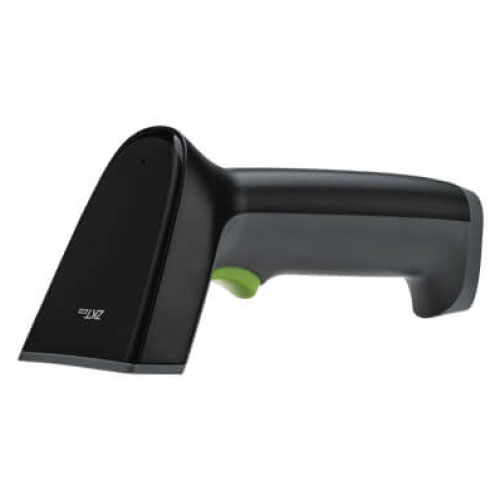
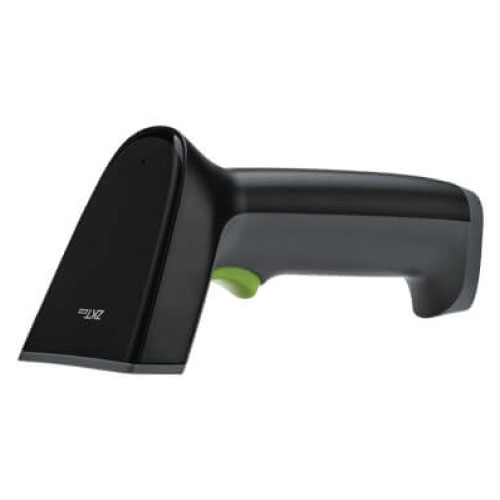
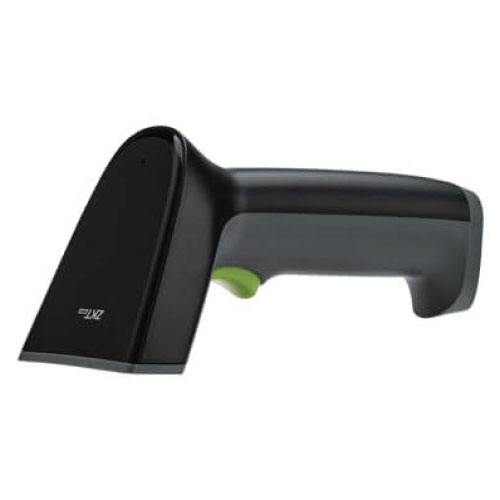
ZKTeco ZKB102S Barcode Scanner – Efficient and Reliable Scanning

Contact us for pricing

Genuine Product Fast Delivery Easy Returns
Brochure

Product Details

Key features


Quickly read all common 1D barcodes;

Compatible with various LCD and OLED mobile phone screen codes and paper product codes;

Accurate identification when multiple barcodes coexist;

Plug and play, easy to set up;

Ergonomic design, more convenient operation, more comfortable grip.

Feature

Details

Scan Type

1D CCD scanner ()

Supported Barcode Formats (Decode Capability)

UPC-A, UPC-E, EAN-8, EAN-13, ISSN, ISBN, Code 128, ISBT 128, Code 39, Code 93, Code 11, Interleaved 2 of 5, Matrix 2 of 5, Industrial 2 of 5, Standard 2 of 5 (IATA), Codabar (NW-7) ()

Scan Mode

Manual reading mode ()

Light Source

620 nm red LED ()

Scan Speed

50 ms / time ()

Minimum Print Contrast

25% ()

Roll / Pitch / Skew Tolerance

Roll: ±30°; Pitch: ±60°; Skew: ±60° ()

Physical Dimensions

167.3 × 70.5 × 81.5 mm ()

Weight

120 g ()

Power

5 V DC; Operating current: 120 mA; Standby: 30 mA ()

Host Interface

USB (RS-232 optional) ()

User Indicators

Decode LED; Beeper (adjustable tone & volume) ()

Operating Temperature

–20°C to +50°C ()

Storage Temperature

–40°C to +70°C ()

Humidity

5% to 95% (non-condensing) ()

Electrostatic Discharge (ESD) Protection

±2 kV direct; ±8 kV air ()

Ambient Light Immunity

Up to 10,000 lux ()

Decoding Ranges:

‒ Code 39 (4 mil)

3 cm – 10 cm

‒ Code 39 (5 mil)

3 cm – 13 cm

‒ Code 39 (13 mil)

4 cm – 30 cm

‒ Code 39 (20 mil)

6 cm – 40 cm

‒ EAN-13 (13 mil)

3 cm – 30 cm

‒ UPC-A (13 mil)

3 cm – 30 cm

How to Order

Revolution Technology BD has made shopping easier for customers. Follow these steps:

  1. Click Register Button from home page
  2. Register with: Name + Email + Mobile + Password
  3. Click Create Account after entering information
  4. Login automatically or use Login button
  5. Provide mobile number and password, then Sign Up
  6. Choose desired product and click Buy Now
  7. View product details and click Add to Cart
  8. Click Item box (upper right corner)
  9. Go to Shopping Cart page
  10. Continue Shopping for more products or proceed
  11. Click "Click Here to Address" button
  12. Provide Full Name, Phone, Email & Delivery Address
  13. Click Order Submit button
  14. View Bill Invoice and receive email confirmation
  15. Print Invoice using Print button
  16. Wait for delivery - we'll keep you updated
  17. Thank you for shopping with us!

Add Your Review

Ask a Question

Related Products

We Accept
VISA
MasterCard
NexusPay
bKash
Rocket
Nagad
uPay
CityTouch
BracBank
BankAsia

Copyright © 2026 Revolution Technology BD All Rights Reserved

Loading product details...

Home
Offers
PC Builder
Account
Menu