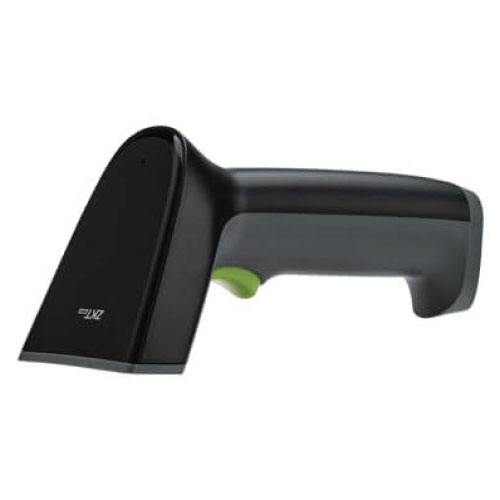
ZKTeco ZKB202S 2D Wireless Image Barcode Scanner
Contact us for pricing
Product Details
Key features
Compatible with various
LCD and OLED mobile phone screen codes and paper product codes
Quickly read all common
1D/2D barcodes
Ultra-high decoding
performance, support barcode reading of high density, dirty, damaged and
complete information
Intelligent white
auxiliary light illumination, soft red aiming indicator, bring comfortable
scanning experience
|
Feature |
Details |
|
Barcode Types |
1D & 2D (QR, PDF417, Data
Matrix, Aztec, HanXin, etc.) |
|
Decoding Ability |
Reads high-density, dirty,
damaged, incomplete barcodes |
|
Illumination |
White auxiliary light + soft red
aiming pattern |
|
Light Source |
650 nm red LED (aiming) + white
LED (illumination) |
|
Image Sensor |
640 × 480 pixels |
|
Scan Speed |
~10 cm/second |
|
Field of View |
41° (H) / 31° (V) |
|
Minimum Print Contrast |
25% |
|
Orientation Tolerance |
Roll 0–360°, Pitch ±60°, Skew ±55° |
|
Minimum Resolution |
Code 39: 4 mil; Code 128: 4 mil;
Data Matrix: 6 mil; QR: 6.7 mil |
|
Wireless Type |
2.4 GHz (60 m range), Bluetooth
optional (15 m range) |
|
Wireless Modes |
Real-time / Storage mode |
|
Battery Type |
18650 Li-ion |
|
Battery Capacity |
2000 mAh |
|
Working Time |
≥ 12 hours per charge |
|
Standby Time |
≥ 4 weeks |
|
Charging Time |
About 5 hours (USB) |
|
Dimensions |
167.3 × 70.5 × 81.5 mm |
|
Weight |
170 g |
|
Body Color |
Black & Gray (White optional) |
|
Operating Temperature |
–20°C to +50°C |
|
Storage Temperature |
–40°C to +70°C |
|
Humidity |
5%–95% RH (non-condensing) |
|
ESD Protection |
±2 kV direct, ±8 kV air |
|
Ambient Light Immunity |
Up to 10,000 lux |
|
Decoding Range – Code 39 (4 mil) |
4–10 cm |
|
Decoding Range – Code 39 (5 mil) |
4–13 cm |
|
Decoding Range – Code 39 (13 mil) |
4–25 cm |
|
Decoding Range – Code 39 (20 mil) |
6–30 cm |
|
Decoding Range – EAN-13 (13 mil) |
3–25 cm |
|
Decoding Range – UPC-A (13 mil) |
3–25 cm |
|
Decoding Range – QR Code (20 mil) |
5–20 cm |
|
Decoding Range – PDF417 (13 mil) |
5–20 cm |
How to Order
Revolution Technology BD has made shopping easier for customers. Follow these steps:
- Click Register Button from home page
- Register with: Name + Email + Mobile + Password
- Click Create Account after entering information
- Login automatically or use Login button
- Provide mobile number and password, then Sign Up
- Choose desired product and click Buy Now
- View product details and click Add to Cart
- Click Item box (upper right corner)
- Go to Shopping Cart page
- Continue Shopping for more products or proceed
- Click "Click Here to Address" button
- Provide Full Name, Phone, Email & Delivery Address
- Click Order Submit button
- View Bill Invoice and receive email confirmation
- Print Invoice using Print button
- Wait for delivery - we'll keep you updated
- Thank you for shopping with us!