
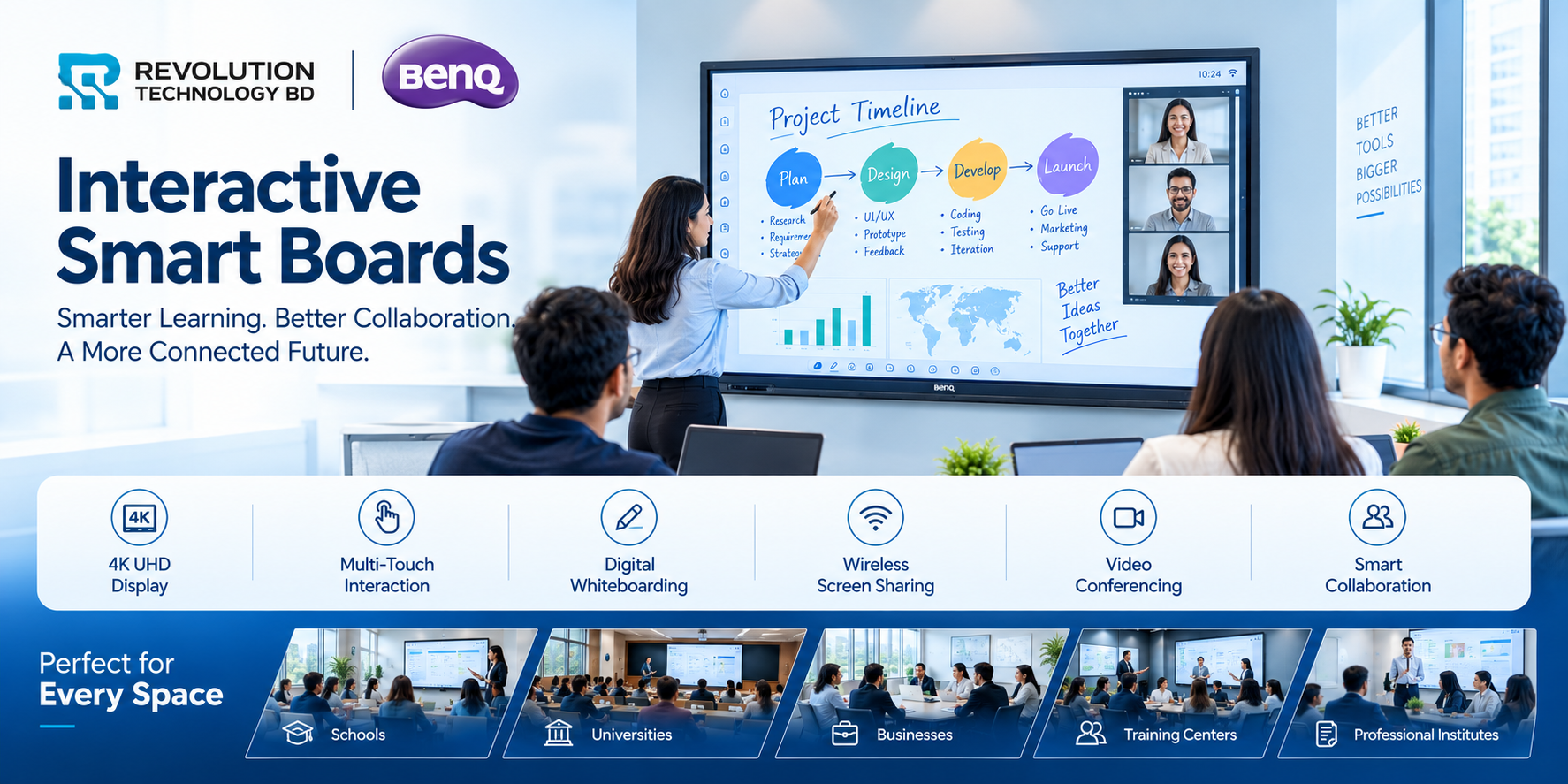
From traditional classrooms to modern boardrooms, interactive smart boards are changing the way people teach, present, collaborate, and communicate.
A presentation no longer has to mean sitting around a conference table watching a projector screen. A classroom no longer has to depend on a teacher standing beside a whiteboard. With an Interactive Flat Panel Display (IFP), the screen itself becomes a workspace where users can write, annotate, share content, browse resources, present ideas, collaborate, and interact with digital material in real time.
For organizations looking to modernize their classrooms, meeting rooms, training centers, lecture halls, or collaborative spaces, BenQ Interactive Displays offer a practical way to bring multiple technologies into a single platform.
At Revolution Technology BD, a range of BenQ Interactive Smart Boards and Interactive Flat Panel Displays is available for businesses, schools, colleges, universities, training centers, and other institutions.
What Is an Interactive Smart Board?
An interactive smart board, often called an Interactive Flat Panel Display (IFP), is a large touchscreen display designed for collaborative work and digital interaction.
Unlike a conventional television or projector, users can directly interact with the content on the screen using touch or an interactive pen.
Depending on the model, an interactive display can combine:
4K UHD visual display
Multi-touch interaction
Digital whiteboarding
Screen sharing
Wireless presentation
Annotation
Video conferencing
HDMI, USB, USB-C and LAN connectivity
Built-in operating system and applications
Cloud and network connectivity
Optional cameras and accessories
BenQ's interactive display ecosystem is designed around these types of interactive teaching and collaboration experiences, with solutions covering both education and business environments.
Why Do Businesses Need Interactive Smart Boards?
Interactive displays are not limited to classrooms. Modern organizations can use them as collaborative workstations for meetings, presentations, training, planning and remote communication.
1. Make Meetings More Interactive
Traditional meetings often involve a presentation being displayed while participants simply watch.
An interactive display changes that dynamic.
Teams can:
Annotate presentations
Draw diagrams
Highlight important information
Review documents
Brainstorm ideas
Share screens
Work with spreadsheets
Discuss designs and concepts directly on the display
BenQ's business-oriented interactive displays are designed for importing documents, presentations, images and videos onto an interactive canvas, while USB-C connectivity can allow a laptop to share its screen and charge through a single connection.
Instead of a screen being used only for viewing, it becomes a shared workspace.
2. Improve Corporate Training
Businesses regularly conduct:
Employee training
Product demonstrations
Technical training
Compliance sessions
Sales training
Orientation programs
Workshops
An interactive board allows trainers to combine presentations, videos, websites, diagrams and live annotations within one session.
For organizations with dedicated training rooms, an interactive display can therefore become a central presentation and collaboration platform.
3. Support Hybrid Meetings
Modern businesses increasingly work across multiple locations.
An interactive display can be paired with cameras, microphones, conferencing platforms and other collaboration equipment to create a more effective hybrid meeting environment.
Instead of having remote participants watch a static presentation, teams can share documents, annotate information and collaborate around the same digital workspace.
For organizations with distributed teams, this can make meetings and training sessions more collaborative.
4. Make Brainstorming More Effective
Ideas are often easier to communicate visually.
During a strategy session, marketing meeting, product planning session or engineering discussion, employees can draw workflows, create diagrams, write notes and organize ideas directly on the display.
BenQ's business interactive displays are designed around importing different types of content onto a large interactive canvas, making the display suitable for collaborative brainstorming and presentations.
Why Schools and Colleges Can Benefit from Interactive Smart Boards
The classroom is one of the most natural environments for interactive displays.
Instead of separating teaching into a computer, projector, whiteboard and speakers, an interactive flat panel can bring many of these functions together.
BenQ specifically positions its interactive displays for education environments ranging from classrooms to university lecture spaces.
1. Turn Lessons Into Interactive Experiences
A traditional lesson may involve writing on a board while students watch.
With an interactive display, teachers can:
Write directly on digital content
Annotate diagrams
Display educational videos
Open websites
Present slides
Draw illustrations
Interact with digital learning materials
Share content from other devices
BenQ's education-focused boards include digital whiteboarding, screen sharing and annotation capabilities designed to support interactive teaching.
The result is a classroom where students can see, interact and participate, rather than simply observe.
2. Make Complex Subjects Easier to Understand
Some concepts are difficult to explain using only textbooks and static presentations.
For example:
Science:
Teachers can display diagrams, animations, simulations and videos.
Mathematics:
Equations and graphs can be written and manipulated directly on the display.
Geography:
Maps, satellite imagery and geographical models can be displayed interactively.
Computer Science:
Teachers can demonstrate software, code, websites and technical concepts.
Engineering:
3D models, technical drawings and simulations can be displayed and discussed.
Interactive technology allows instructors to combine multiple forms of digital content into a single lesson.
3. Increase Classroom Participation
An interactive display can turn students from passive viewers into participants.
Teachers can invite students to:
Solve problems on the screen
Annotate diagrams
Present their work
Participate in collaborative activities
Share content from their devices
Work together on digital exercises
This can be particularly useful for institutions trying to create more technology-driven learning environments.
4. Support Hybrid and Remote Education
Educational institutions increasingly need classrooms that can support both physical and remote participants.
Interactive displays can work alongside cameras, microphones, wireless sharing and video-conferencing systems to create hybrid classrooms.
Revolution Technology BD also offers smart classroom solutions combining interactive flat panels with AI cameras, audio systems, student devices and other classroom technologies.
This means institutions can move beyond purchasing a display and instead build a complete smart classroom environment.
Why BenQ Interactive Smart Boards?
BenQ has developed interactive display solutions specifically for both education and business environments.
Several features make BenQ Boards particularly suitable for organizations looking to deploy interactive displays at scale.
4K UHD Display
Many BenQ interactive panels available through Revolution Technology BD feature 4K UHD resolution (3840 × 2160), providing detailed visuals for presentations, educational content, diagrams, videos and other digital material.
For larger classrooms, lecture halls and meeting spaces, high-resolution content can make presentations easier to view.
Multi-Touch Interaction
BenQ interactive panels can support multi-touch interaction, allowing multiple points of contact on the display.
For example, a teacher can work with digital content while students participate directly on the screen.
Several BenQ models listed by Revolution Technology BD offer up to 40-point multi-touch, depending on the model.
Digital Whiteboarding
A digital whiteboard can replace many of the limitations of a conventional whiteboard.
Teachers and presenters can write, annotate, erase and work with digital content without switching between separate devices.
BenQ's education ecosystem includes EZWrite for digital whiteboarding, while its interactive displays also support screen-sharing and collaboration tools.
Wireless Screen Sharing
Instead of repeatedly connecting cables to a presentation computer, compatible BenQ solutions can support wireless content sharing.
This is particularly useful in:
Meeting rooms
Training rooms
Classrooms
Boardrooms
Lecture halls
Multiple presenters can work from their own devices while the interactive display acts as the central collaboration screen.
Better IT Management
For organizations deploying multiple interactive displays, device management becomes important.
BenQ provides management features that can help IT teams provision displays, manage settings, push firmware and application updates, enforce device policies and review device usage.
This becomes particularly useful for universities, school groups, corporate offices and organizations operating multiple campuses or meeting rooms.
ClassroomCare: Technology With the Classroom in Mind
An interactive board is touched repeatedly throughout the day, making usability and classroom conditions important considerations.
BenQ's ClassroomCare ecosystem includes features such as antimicrobial surfaces, anti-glare and flicker-free display technologies, and other features designed around classroom environments.
For institutions investing in interactive technology for daily classroom use, these considerations can be just as important as display size and resolution.
Which Institutions Can Use BenQ Interactive Displays?
Interactive displays can be useful across a wide range of environments.
Schools
Smart classrooms
STEM classrooms
Computer labs
Teacher training rooms
Digital learning spaces
Colleges
Lecture rooms
Department classrooms
Training facilities
Seminar rooms
Presentation spaces
Universities
Lecture halls
Research presentations
Faculty meeting rooms
Training centers
Hybrid learning environments
Corporate Organizations
Boardrooms
Meeting rooms
Training centers
Sales presentation rooms
Strategy and brainstorming spaces
Training & Professional Institutes
Training classrooms
Certification centers
Workshop rooms
Seminar halls
Online training studios
Choosing the Right Interactive Smart Board
The right display depends on the size and purpose of the room.
65-inch
Suitable for smaller classrooms, meeting rooms and training spaces.
75-inch
A practical option for medium-sized classrooms, conference rooms and training environments.
86-inch
Suitable for larger classrooms, lecture rooms, boardrooms and spaces where participants need to view content from a greater distance.
Revolution Technology BD currently lists BenQ 65-inch, 75-inch and 86-inch Interactive Flat Panel Display models, with different configurations and features depending on the series.
When selecting a model, organizations should consider:
Room size + viewing distance + number of users + connectivity requirements + touch requirements + camera requirements + software ecosystem + IT management needs.
Interactive Smart Board vs Traditional Projector
| Feature | Traditional Projector | Interactive Smart Board |
|---|---|---|
| Direct Touch Interaction | Usually requires additional hardware | Built-in |
| Digital Whiteboarding | Limited | Yes |
| Annotation | Requires separate setup | Directly on screen |
| 4K Display Options | Available on some projectors | Available |
| Screen Sharing | Requires additional devices/software | Supported on compatible models |
| Built-in Computing | Usually separate | Available on selected models |
| Multi-Touch | Limited/additional hardware | Supported |
| Collaboration | Usually requires multiple devices | Designed for interactive collaboration |
| Maintenance | Lamp/projector-related maintenance may apply | LED display architecture |
| Classroom Integration | Multiple components | Can consolidate several functions |
A projector can still be appropriate for certain large-screen applications. However, for organizations looking for a touch-enabled, collaborative and all-in-one digital workspace, an interactive flat panel can offer a different level of functionality.
The Bigger Picture: From Smart Boards to Smart Spaces
An interactive display should not necessarily be viewed as simply a replacement for a whiteboard or projector.
It can become the central interface of a smart classroom, smart meeting room or collaborative workspace.
A complete solution could combine:
Interactive Flat Panel + AI Camera + Microphone/Audio + Wireless Presentation + Video Conferencing + Network + Classroom/LMS Integration
This approach can help organizations build technology environments that are easier to use and better suited to modern collaboration.
Is Your Organization Ready for an Interactive Display?
If your organization still depends heavily on traditional whiteboards, projectors, printed materials or disconnected presentation equipment, an interactive display may be worth considering.
For a school, it can transform a conventional classroom into a digital learning environment.
For a university, it can support interactive lectures and hybrid education.
For a company, it can turn an ordinary meeting room into a collaborative workspace.
And for a training institute, it can provide a flexible platform for presentations, demonstrations and instructor-led learning.
The goal is not simply to put a large touchscreen on the wall.
The goal is to make people interact with information instead of simply looking at it.
Explore BenQ Interactive Smart Boards in Bangladesh
Revolution Technology BD provides BenQ Interactive Flat Panel Displays and Smart Classroom Solutions for businesses, schools, colleges, universities, training institutes and other organizations.
Available BenQ options include 65-inch, 75-inch and 86-inch interactive displays, with different configurations for education and professional environments.
Explore the available BenQ Interactive Smart Board range:
BenQ Interactive Smart Boards - Revolution Technology BD
Need help selecting the right size or configuration?
Contact Revolution Technology BD for product specifications, availability, corporate quotations and smart classroom requirements.
Revolution Technology BD
Your trusted technology partner.



