

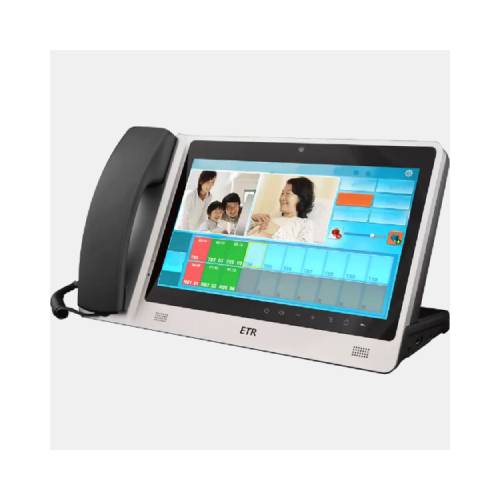

ICU Visiting System Solutions
Contact us for pricing
Product Details
Key Features
10.1 touch screen,High-end and
beautiful interface
Manage 20 visiting extensions
at the same time
Has call forwarding function
10.1 touch screen,High-end and
beautiful interface
Audio and video function
Low-light CMOS color camera
Hanging or wall mounting
10.1 inch touch screen
Call the nurse station host
and intercom
External waterproof alarm button
Specification
Handle Of Bed Extension
10.1 touch screen High-end and
beautiful interface
Manage 20 visiting extensions
at the same time
Has call forwarding function
Call the hospital bed and
intercom
Low illumination CMOS color
camera
Set the extension talk time
Call timing function
HD video intercom
External headset
When the patient's family and the patient are talking, they can monitor and monitor

Visitor Extension
10.1 touch screen, High-end
and beautiful interface
Audio and video function
Low-light CMOS color camera
HD video intercom
External headset
One-touch calling

ICU Ward Bed Extension
Hanging or wall mounting
10.1 inch touch screen
Call the nurse station host
and intercom
External waterproof alarm button
low-light CMOS color camera
Audio and video function
External headset
HD video intercom
Infusion alarm input interface


Description
They mainly consist of ICU
Management Center, Medical hosts, visiting extension, ICU extension, etc to
achieve visiting interphone functions.
The ICU ward visiting
interphone system is used in intensive care units at big hospitals. Family
member visit- ing areas are provided in the custody zone so two-way video talk
can be performed between family members and patients; by Internet access,
family members’ remote visits to patients can be achieved. The nursing station
can check patients’ conditions at any time by mainframes to reduce the
intensity of work and to attain the goal of strengthening visits to patients
How to Order
Revolution Technology BD has made shopping easier for customers. Follow these steps:
- Click Register Button from home page
- Register with: Name + Email + Mobile + Password
- Click Create Account after entering information
- Login automatically or use Login button
- Provide mobile number and password, then Sign Up
- Choose desired product and click Buy Now
- View product details and click Add to Cart
- Click Item box (upper right corner)
- Go to Shopping Cart page
- Continue Shopping for more products or proceed
- Click "Click Here to Address" button
- Provide Full Name, Phone, Email & Delivery Address
- Click Order Submit button
- View Bill Invoice and receive email confirmation
- Print Invoice using Print button
- Wait for delivery - we'll keep you updated
- Thank you for shopping with us!



