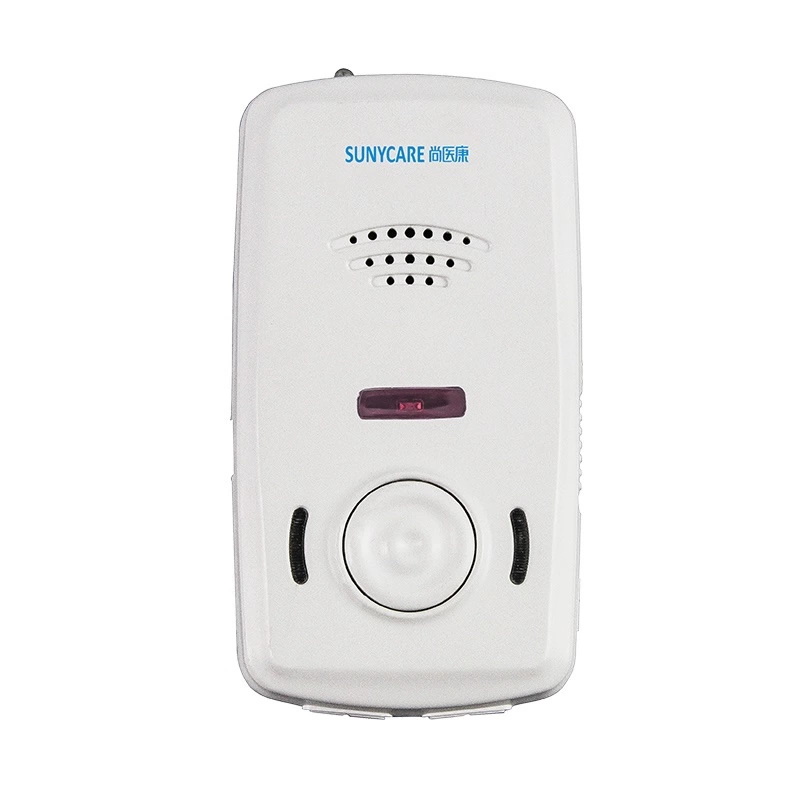
IOT Smart Ward Nursing System
Contact us for pricing
Product Details
Key Features
Wireless wifi, 433MHz,
Bluetooth, infrared and other net- works
Data collection, data
processing, data encryption, data trans- mission
10 inch touch screen
The overall display of patient
information in ward
13 Inch Super-large
high-definition LCD screen, resolution ratio 1920×1080
Sending pictures, text, video
and voice messages through wireless networks
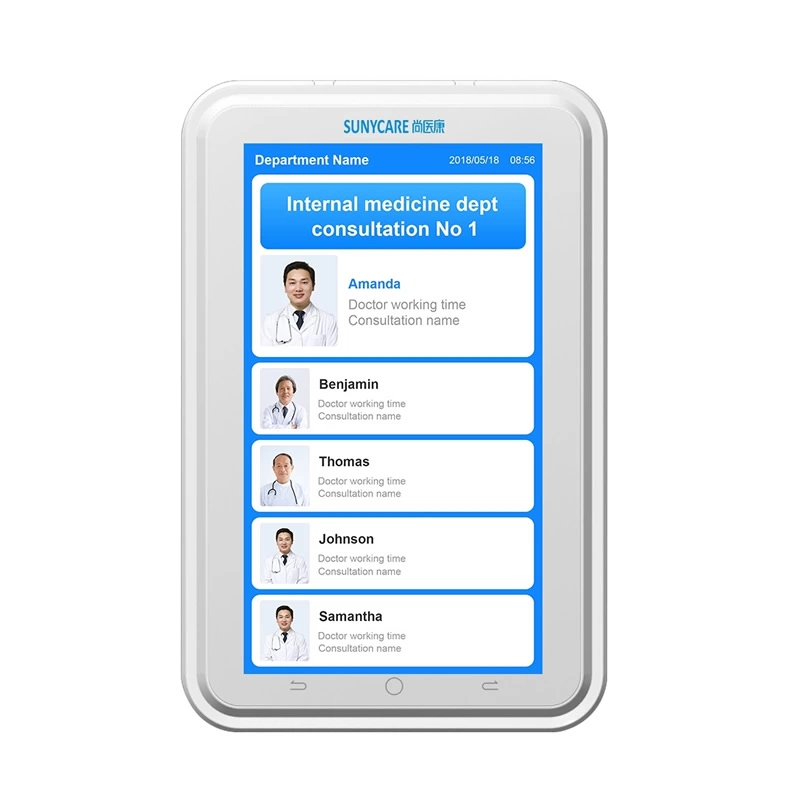
7 Inch Touch Screen
Call talkback, call transfer,
treatment information inquiry, patient information display
13.3 Inch Touch Screen
With rocker arm and easy
operation
It is used when extra beds
needed in the ward
It can make wireless call
Specification
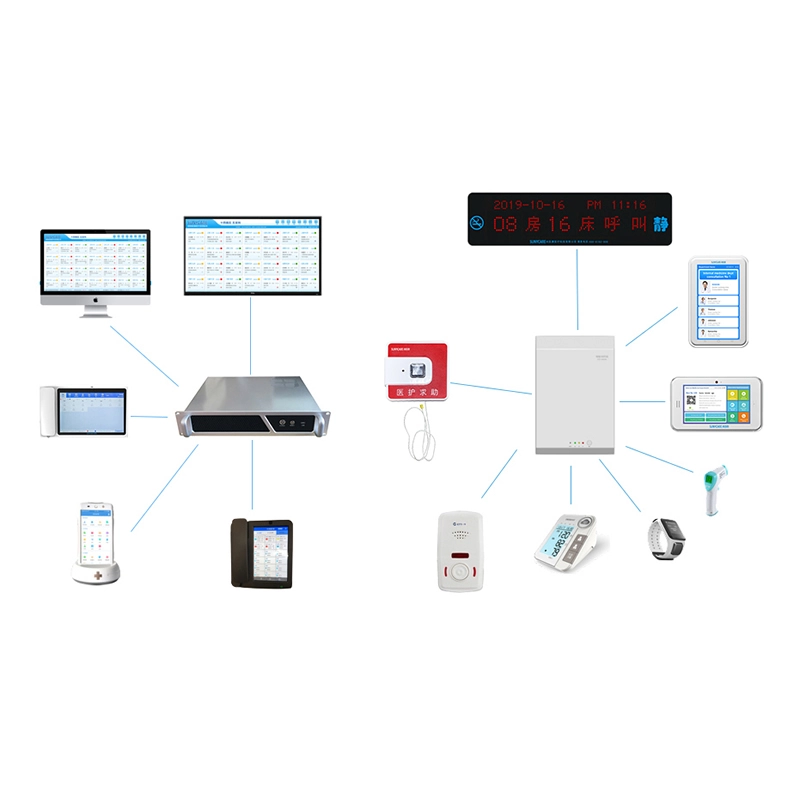
Ward Information Routing
Wireless wifi, 433MHz,
Bluetooth, infrared and other net- works.
Data collection, data
processing, data encryption, data trans- mission.
Upload vital signs data
(height, weight, temperature,blood oxygen, blood pressure, blood glucose, ECG
and other data upload).
Infusion monitoring, personnel positioning, drug manage- ment, equipment positioning and management, mobile nurs- ing, medical cold chain management.

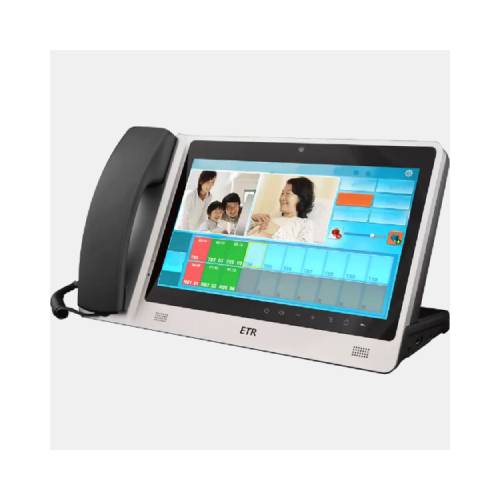
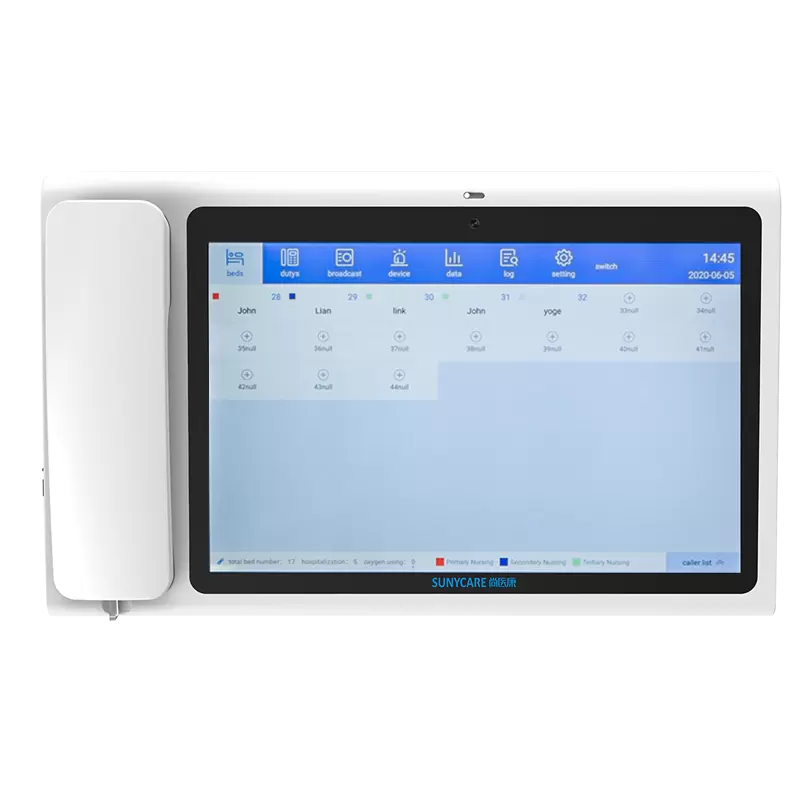
Nurse Extension
10 inch touch screen
The overall display of patient
information in ward Received and answer ward calls, Partitioned broadcast
Bed management, level management,
personnel management, information management
Call log, operation log,
oxygen query log, ward inspection log, call query log
Content Setting of Corridor display, door extension, bedside Extension.

Door Extension
13 Inch Super-large high-definition
LCD screen, resolution ratio 1920×1080.
Sending pictures, text, video
and voice messages through wireless networks.
The call information can be
processed Quick ward check.
Automatically showing the nurse entering the room and light- ing the display,turn off the light automatically if nobody coming.
If patient calling, the nurse
can pick up & talkback at the near- est door.
According to the different levels of Bathroom extension and bedside extension call, different color can be set up.

Bed Extension
7 Inch Touch Screen
Call talkback, call transfer,
treatment information inquiry, patient information display.
Hospital service survey, vital
signs data collection and up- loading, examination results query. Support the
satisfaction survey of nurses' work, oxygen automatic timing,infusion
monitoring.
The bedside screen
automatically switches brightness at the set time in the evening, and display
patient information.
Nurses' location automatically
records the number and time of nurses' service.
Received Character, voice,
video broadcast information, rein- force help requirement broadcast.
The color ring ramp light can display the nursing level, setting backlight time.

Rock Arm Bed Extension
13.3 Inch Touch Screen.
With rocker arm and easy
operation.
Call talkback, call transfer,
treatment information inquiry, patient information display.
Hospital service survey, vital
signs data collection and up- loading, examination results query. Support the
satisfaction survey of nurses' work, oxygen automatic timing,infusion
monitoring.
Nurses' location automatically
records the number and time of nurses' service.
Received Character, voice, video broadcast information, rein- force help requirement broadcast.

Handle Of Bed Extension
Red call button for patient to
call nurse.
Green dressing change button,
nurses know patient service needs in time.
Illumination button, turn on the led light, for patient lighting at night.

Extra-Bed Extension
It is used when extra beds
needed in the ward.
It can make wireless call.

Mobile Extension
Voice number telling of
wireless call.
Hang up call.
Send the signals of ward inspection.

Bath Extension
Make emergency call from bath
room
Large size call button
Indicator display
IPX7 waterproof


Description
The Smart ward nursing system
not only provides powerful and perfect communication functions for doc- tors,
nurses and patients in a completely new way, but also creatively provides new
functions such as voice reminding, information issuing, and information
collection, bedside screen scanning code payment, automatic data upload and
information processing with simple and multi-way connection with the testing
equipment in the ward. The extension of hospital information management (HIS)
system to ward is realized, which is an indispens- able part of hospital
digital construction. While greatly reducing the work intensity of medical
staff, the quality of medical care has been greatly.
How to Order
Revolution Technology BD has made shopping easier for customers. Follow these steps:
- Click Register Button from home page
- Register with: Name + Email + Mobile + Password
- Click Create Account after entering information
- Login automatically or use Login button
- Provide mobile number and password, then Sign Up
- Choose desired product and click Buy Now
- View product details and click Add to Cart
- Click Item box (upper right corner)
- Go to Shopping Cart page
- Continue Shopping for more products or proceed
- Click "Click Here to Address" button
- Provide Full Name, Phone, Email & Delivery Address
- Click Order Submit button
- View Bill Invoice and receive email confirmation
- Print Invoice using Print button
- Wait for delivery - we'll keep you updated
- Thank you for shopping with us!