Microsoft Windows 11 Pro Upgrade (CSP License)
Contact us for pricing
Product Details
Key Features
Product Name: Windows 11 Pro
Upgrade
Brand: Microsoft
Language: English
Number of License: 1
Description
Windows 11 is designed for
hybrid work. Upgrade to Windows 11 Pro for all the features of Windows 11 Home
plus tools for business use. Windows 11 Pro delivers a powerful, streamlined
user experience that helps you stay focused and get more done – wherever your
office might be.
Features
Instantly
productive
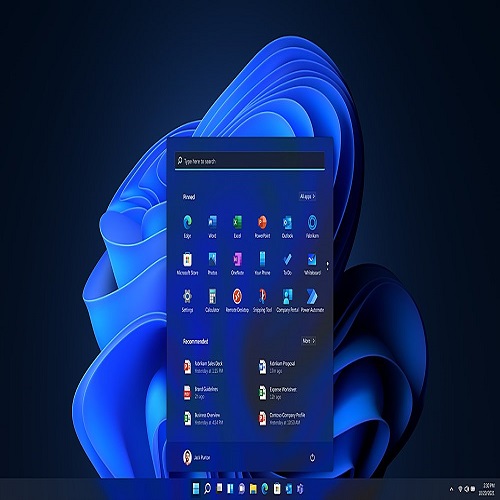
Simpler, more intuitive UI and effortless navigation. New
features like snap layouts help you manage multiple tasks with ease.
Smarter
collaboration
Have effective online meetings. Share content and
mute/unmute right from the taskbar Stay focused with intelligent noise
cancelling and background blur.
Reassuringly
consistent
Have confidence that your applications will work. Familiar
deployment and update tools. Accelerate adoption with expanded deployment
policies.
Powerful
security
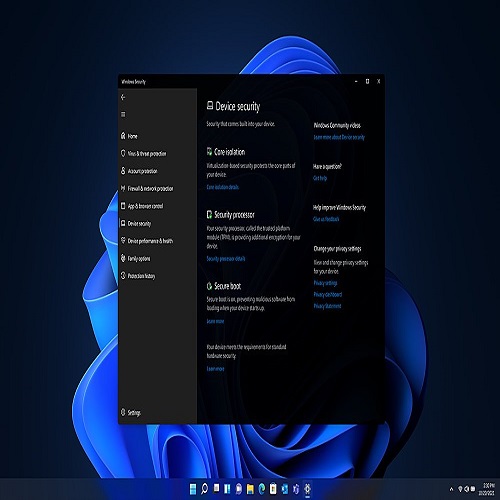
Safeguard data and access anywhere with hardware-based
isolation, encryption, and malware protection built in.
May come in a future release; appearance may vary.
Certain features require specific hardware.
For more information on these and other Windows features,
visit: windows.com/features. Screen shown for illustration only; some apps are
licensed separately. Features and app availability may vary by region.
If your system was unable to install Windows 11 when
offered the free upgrade due to system requirements, you will not be able to
install this version. For more information on system requirements visit,
https://www.microsoft.com/windows/windows-11-specifications
How to Order
Revolution Technology BD has made shopping easier for customers. Follow these steps:
- Click Register Button from home page
- Register with: Name + Email + Mobile + Password
- Click Create Account after entering information
- Login automatically or use Login button
- Provide mobile number and password, then Sign Up
- Choose desired product and click Buy Now
- View product details and click Add to Cart
- Click Item box (upper right corner)
- Go to Shopping Cart page
- Continue Shopping for more products or proceed
- Click "Click Here to Address" button
- Provide Full Name, Phone, Email & Delivery Address
- Click Order Submit button
- View Bill Invoice and receive email confirmation
- Print Invoice using Print button
- Wait for delivery - we'll keep you updated
- Thank you for shopping with us!