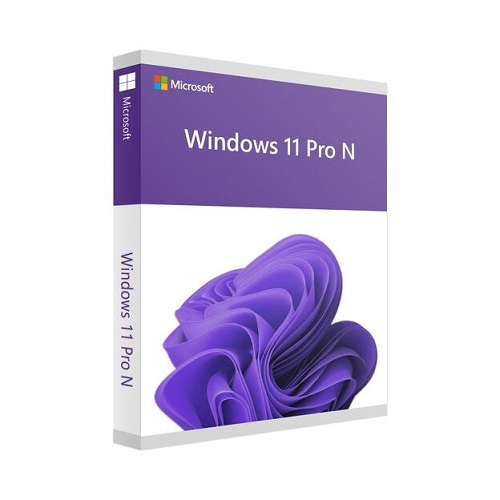
Windows GGWA - Windows 11 Pro N - Legalization Get Genuine (CSP License)
Contact us for pricing
Product Details
Key Features
Windows GGWA - Windows 11 Pro
N - Legalization Get Genuine
Product: Windows 11 Pro N
Brand: Microsoft
License Quantity: 1 License
License Type: Upgrade License
Specification
|
Includes |
Microsoft Windows GGWA - Windows 11 Pro N - Legalization
Get Genuine - License |
|
Installation Method |
Digital Download |
|
Device Supported |
1 Device |
|
Brand |
Microsoft |
|
Processor Required |
1GHz or faster with 2 or more cores on a compatible
64-bit processor |
|
Memory Required |
4GB |
|
Storage Required |
64 GB or large storage device |
|
System Firmware |
UEFI, Secure Boot capable |
|
TPM |
Trusted Platform Module 2.0 |
|
Graphics Card |
Compatible with DirectX12 or later |
|
Display Resolution |
High-definition (720p) display that is greater than 9”
diagonally |
Description
Windows GGWA - Windows 11 Pro N - Legalization Get Genuine
Get Genuine Windows (also
known as “GGWA”) legalization solutions assist customers to convert non-genuine
Windows operating systems to genuine, to remain compliant and encourage the
purchase of genuine Windows pre-installed PCs in the future. GGWA is strictly
to help a customer rectify a mis-licensing situation. Customers may acquire GGWA licenses for the
full version of the Windows desktop operating system for devices that require
valid Windows licenses. Because GGWA licenses are full licenses for Windows,
they do not have a Qualifying OS requirement. GGWA licenses are available only
as a one-time purchase, where all units must be placed under a single order.
These licenses may not be assigned to devices without a Qualifying OS if such
devices are obtained after the customer’s order. Windows 11 Pro is designed for small and
medium businesses. Large organizations should work directly with their
Microsoft seller. Windows 11 Pro N edition includes the same
functionality as Windows 11 Pro, except that it does not include certain media
related technologies (e.g., Windows Media Player, Camera, Music, Movies and TV)
or the Skype app.
How to Order
Revolution Technology BD has made shopping easier for customers. Follow these steps:
- Click Register Button from home page
- Register with: Name + Email + Mobile + Password
- Click Create Account after entering information
- Login automatically or use Login button
- Provide mobile number and password, then Sign Up
- Choose desired product and click Buy Now
- View product details and click Add to Cart
- Click Item box (upper right corner)
- Go to Shopping Cart page
- Continue Shopping for more products or proceed
- Click "Click Here to Address" button
- Provide Full Name, Phone, Email & Delivery Address
- Click Order Submit button
- View Bill Invoice and receive email confirmation
- Print Invoice using Print button
- Wait for delivery - we'll keep you updated
- Thank you for shopping with us!