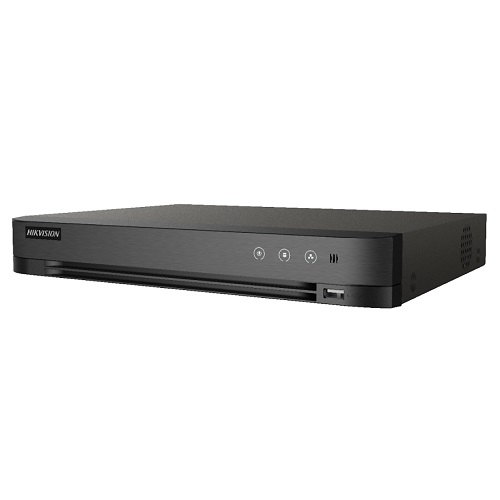
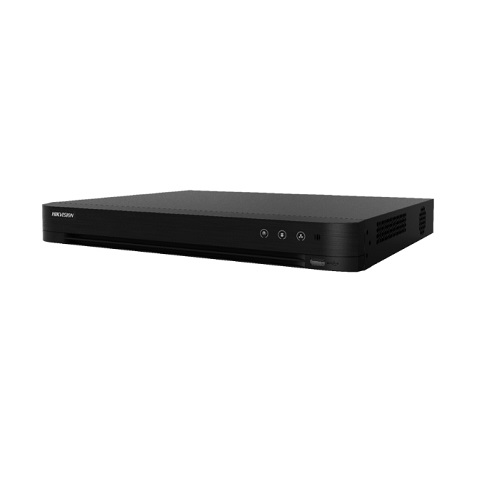
Hikvision IDS-7216HQHI-M2/S 16CH Acusense 1080P DVR
Contact us for pricing
Product Details
Key Features
- Model: IDS-7216HQHI-M2/S
- 16 channels and 2 HDDs 1U AcuSense DVR
- Efficient H.265 pro+ compression technology
- Encoding ability up to 1080p @ 15 fps
- Up to 8 network cameras can be connected
Specification
|
IP
Camera Input |
H.265+/H.265/H.264+/H.264
IP |
|
Recording
Compression |
G.711u |
|
Resolution |
Mainstream: - 4 MP stream: 4 MP
lite@15 fps; 1080p lite/720p/WD1/4CIF/VGA/CIF@25 fps (P)/30 fps (N) - 3 MP
stream: 3 MP/1080p/720p/VGA/WD1/4CIF/CIF@15 fps - 1080p stream: 1080p/720p@15
fps; VGA/WD1/4CIF/CIF@25 fps (P)/30 fps (N) - 720p stream:
720p/VGA/WD1/4CIF/CIF@25 fps (P)/30 fps (N) When 1080p Lite enabled: -
4 MP lite/3 MP@15 fps - 1080p lite/720p lite/VGA/WD1/4CIF/CIF@25 fps (P)/30
fps (N) Sub-stream: WD1/4CIF@12 fps; CIF@25 fps (P)/30 fps (N) |
|
Bit
Rate |
64
Kbps |
|
Video
Detection |
Yes |
|
Alarm
Input |
Yes |
|
Sync
Playback |
16-ch |
|
Interface |
1
× RJ45 10M/100M/1000M self-adaptive Ethernet |
|
HDD
Mode |
16
channels and 2 HDDs 1U AcuSense DVR |
|
USB |
1
× USB 2.0, 1 × USB 3.0 |
|
Power
Supply |
12
VDC |
|
Power
Consumption |
≤
40 W |
|
Dimensions |
380
× 320 × 48 mm (15.0 × 12.6 × 1.9 inch) |
|
Net
Weight |
2
kg |
Description
Hikvision
IDS-7216HQHI-M2/S 16CH Acusense 1080P DVR
The
Hikvision iDS-7216HQHI-M2/S 16ch Acusense DVR is a turbo HD 5.0 DVR with Deep
Learning-based analysis and facial identification. It also supports H.265
Pro+/H.265 Pro/H.265 video compression, a maximum distance of 800 m for 1080p
and 1200 m for 720p HDTVI signal transmission, IP cameras (up to 6 MP), and a
maximum capacity of 10 TB per HDD, This DVR is dual-stream supported and stream
type Video, Video & Audio. The Hikvision iDS-7216HQHI-M2/S 16ch Acusense
DVR is an Ethernet interface. It comes with a 01-year warranty.
How to Order
Revolution Technology BD has made shopping easier for customers. Follow these steps:
- Click Register Button from home page
- Register with: Name + Email + Mobile + Password
- Click Create Account after entering information
- Login automatically or use Login button
- Provide mobile number and password, then Sign Up
- Choose desired product and click Buy Now
- View product details and click Add to Cart
- Click Item box (upper right corner)
- Go to Shopping Cart page
- Continue Shopping for more products or proceed
- Click "Click Here to Address" button
- Provide Full Name, Phone, Email & Delivery Address
- Click Order Submit button
- View Bill Invoice and receive email confirmation
- Print Invoice using Print button
- Wait for delivery - we'll keep you updated
- Thank you for shopping with us!